
Cart 0

Share
Table of Contents
User Experience Analytics: Gaining Insights into Digital Interaction
User experience analytics is the process of collecting and analyzing data about how visitors interact with your website or application to uncover actionable insights. By systematically tracking user behavior, measuring website performance, and evaluating customer satisfaction, you can make informed decisions that directly improve digital interactions. The core value of user experience analytics lies in its ability to eliminate guesswork: instead of relying on intuition, you use real data to understand what users want, where they struggle, and how to guide them toward desired outcomes. For any business operating online, these insights are not optional—they are essential for staying competitive. Whether you are a marketer trying to boost conversions, a product manager refining a feature, or a business owner looking to increase customer loyalty, user experience analytics provides the evidence you need to prioritize improvements. This comprehensive guide covers everything from fundamental metrics and tracking methods to advanced strategies for website optimization, digital marketing, and continuous improvement. Expect practical advice, real-world examples, and a clear roadmap for turning analytics into better user experiences.
Understanding User Experience Analytics and Its Core Components
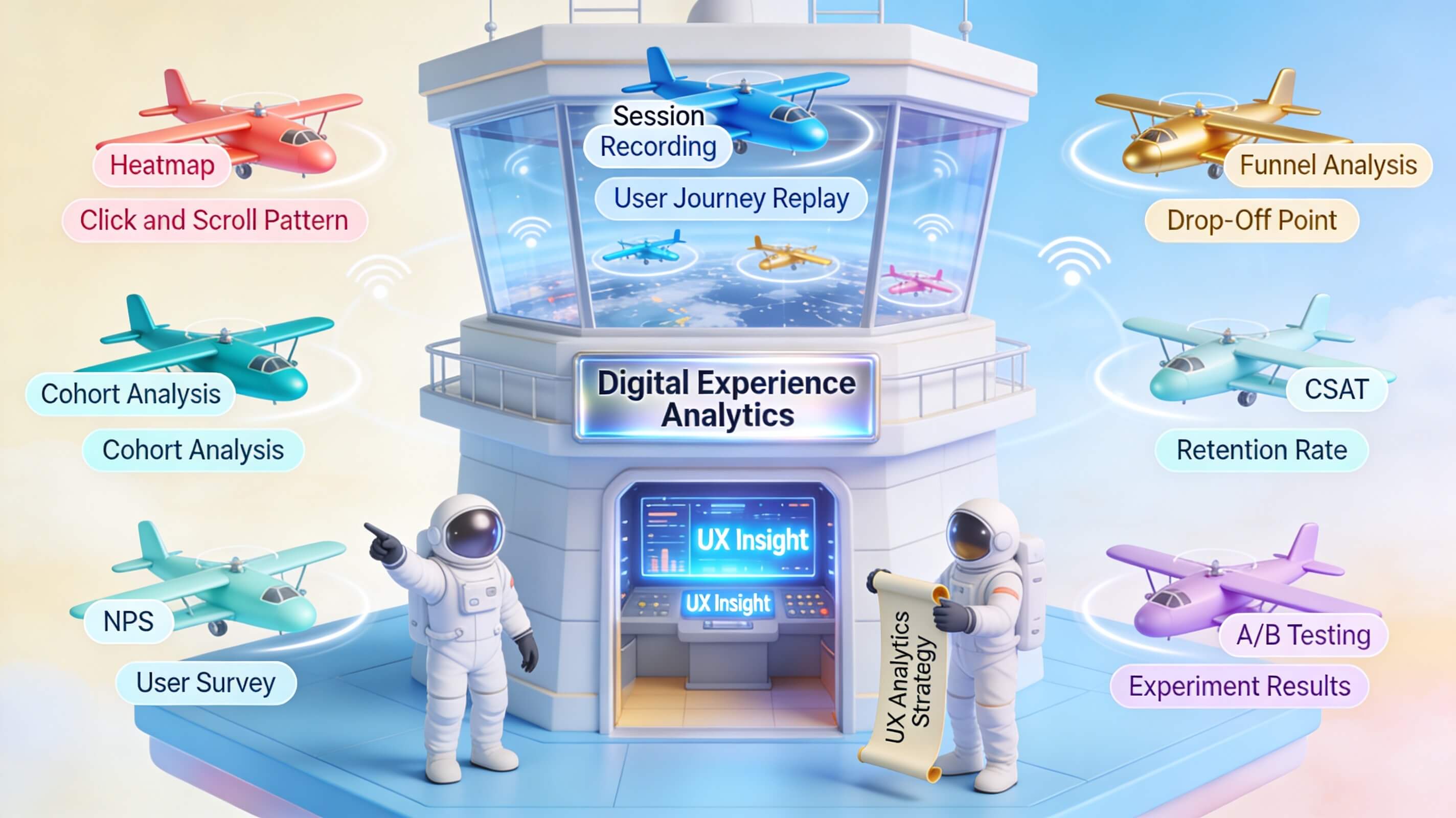
User experience analytics encompasses several interconnected practices that together reveal the complete picture of how people use your digital platform. At its foundation is UX analytics, which focuses on quantitative data such as click-through rates, session durations, navigation paths, and interaction heatmaps. Tools like Nielsen Norman Group emphasize that UX analytics should always be paired with qualitative research to avoid misinterpretation. For example, a high click rate on a button might indicate interest—or confusion. That is why user behavior tracking is equally critical. This involves monitoring mouse movements, scrolling depth, form field interactions, and session replays. By watching how users actually move through your site, you can pinpoint friction points that no standard report would reveal.
Another pillar is data-driven decision making. The entire purpose of collecting analytics is to inform choices with evidence rather than opinion. When you combine UX analytics with behavioral insights, you can confidently prioritize which page elements to redesign, which features to promote, and which user segments to target. A practical example: an e-commerce site noticed a high drop-off at the checkout page. Standard analytics showed a 68% abandonment rate, but user behavior tracking revealed that the shipping cost was displayed only after users entered their address. By moving the cost disclosure earlier, the company reduced abandonment by 22% within two weeks. This case illustrates why user experience analytics must include both macros (overall metrics) and micros (individual interactions).

A featured snippet–optimized definition: User experience analytics is the systematic collection and analysis of data about how visitors interact with a website or application, including behavioral metrics, performance indicators, and satisfaction scores, to identify improvement opportunities and drive evidence-based design decisions. For maximum impact, businesses should use a combination of quantitative tools (like Google Analytics) and qualitative tools (like session recording) to triangulate insights.
Key Metrics for User Experience Analysis
Not all data matters equally. To get the most from user experience analytics, you need to focus on metrics that directly reflect user satisfaction and business goals. Below is a comparison of the most important metrics, along with definitions and actions.
| Metric | Definition | Why It Matters | Actionable Insight |
|---|---|---|---|
| Time on Page | Average duration a user spends on a single page before navigating away. | Indicates content engagement and clarity of messaging. | If time is low, improve content scannability or add more visuals. |
| Bounce Rate | Percentage of sessions where users exit after viewing only one page. | Reveals whether your landing page meets user expectations. | High bounce rate may signal misleading ad copy or poor page load speed. |
| Conversion Rate | Percentage of users who complete a desired action (purchase, sign-up, download). | Directly ties user experience to revenue and lead generation. | Analyze conversion funnel steps to identify where drop-offs occur. |
| Session Replay Watch Time | Time spent reviewing individual user sessions to understand behavior patterns. | Provides context behind numeric metrics like bounce rate. | Watch sessions of users who bounced to see exactly what frustrated them. |
| User Journey Length | Number of pages visited or steps taken before conversion. | Helps optimize navigation and reduce unnecessary steps. | Streamline the path by removing redundant pages or simplifying forms. |
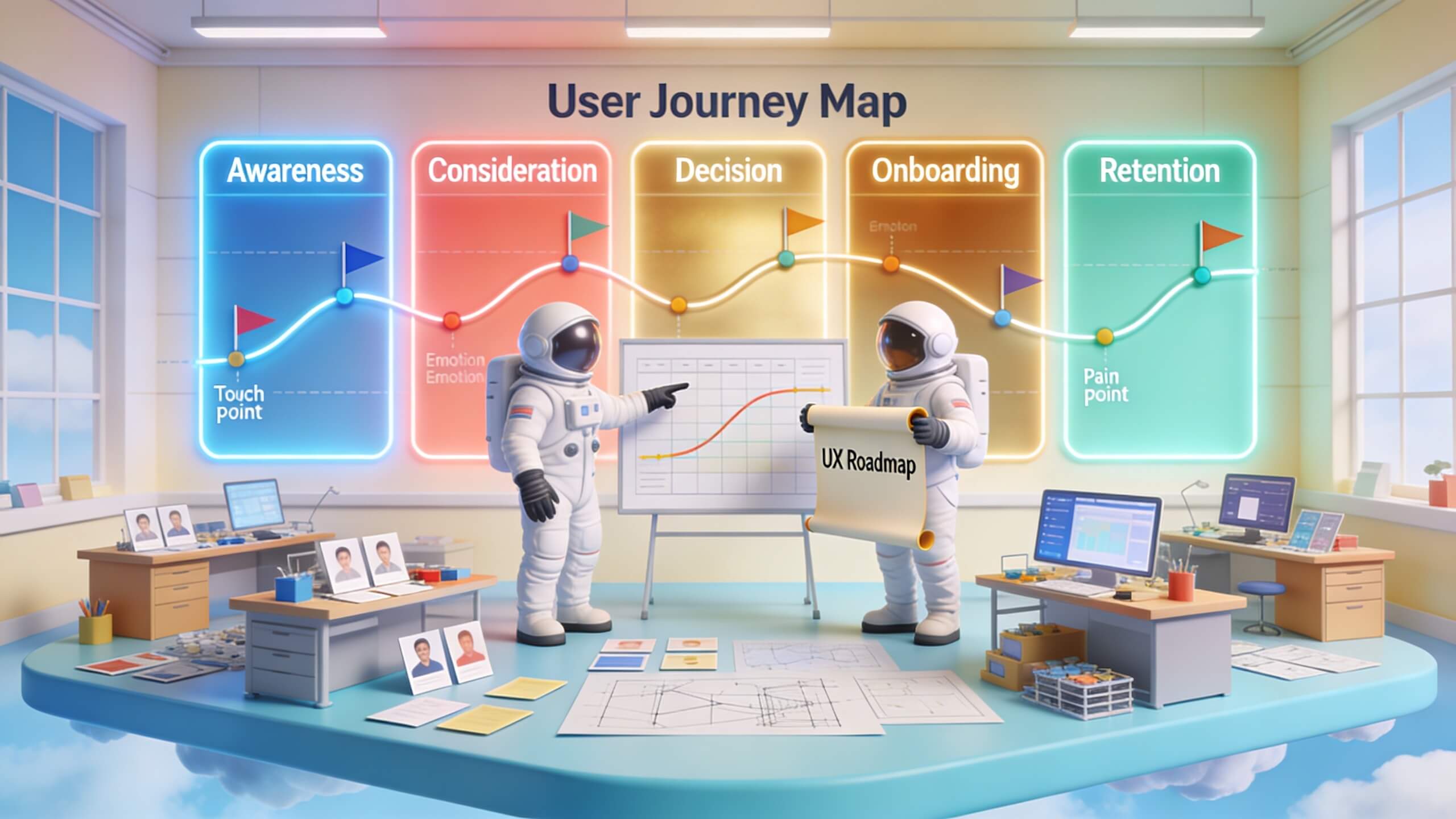
Beyond these standard metrics, user journey analysis offers a more holistic view. Instead of looking at isolated pages, you map the entire sequence of interactions a user has with your brand. Tools like Hotjar allow you to visualize click paths and see where users deviate from expected flows. For example, a SaaS company discovered that many trial users visited the pricing page before starting the demo—but then never returned. By adding a clear call-to-action on the pricing page to start the free trial, they boosted sign-ups by 34%. This kind of insight comes only from combining journey analysis with behavioral tracking.
Another crucial metric is error rate—the frequency of user mistakes, such as invalid form entries or broken links. Unlike bounce rate, error rate points to specific usability issues. If 40% of users mistype their email address, the form field might be poorly labeled or too small for mobile. Fixing such issues improves both user experience and data quality. Measuring these metrics systematically requires a solid analytics infrastructure, but the payoff is a site that continuously improves based on real user behavior.
Using Website Analytics and Performance Analysis for Optimization
Website performance directly impacts user experience analytics because slow load times and technical glitches skew behavioral data. If your site takes more than three seconds to load, users are likely to leave before you can track their behavior. Therefore, website performance analysis must be a core part of your approach. Use tools like Google PageSpeed Insights or WebPageTest to measure metrics such as Largest Contentful Paint (LCP), First Input Delay (FID), and Cumulative Layout Shift (CLS). These are Google’s Core Web Vitals, and they directly affect both user satisfaction and search rankings. A study by Deloitte found that a 0.1-second improvement in mobile site speed can increase conversion rates by up to 8.4%—clear evidence that performance is inseparable from user experience.
Combining performance analysis with website analytics allows you to correlate technical issues with user behavior. For instance, if a particular page has a high bounce rate and also has a slow LCP, the solution may lie in image compression or server optimization rather than content changes. Many businesses overlook this connection and waste time redesigning pages that actually need faster hosting. A practical workflow: start by exporting your top 20 landing pages from Google Analytics, then run each through a performance audit. Identify pages that have both high traffic and high bounce rates, then fix performance issues first. Re-audit after one week to see if the bounce rate drops. If it does, you have isolated a key improvement area.
Optimization insights from this process go beyond speed. By analyzing server logs and error rates, you can detect broken links, missing images, and script failures that frustrate users. For example, a travel booking site noticed a 19% drop in mobile bookings after a third-party calendar widget started failing. Standard analytics showed only a slight increase in bounce rate, but performance analysis revealed a 2-second delay on mobile. Fixing the widget restored conversion rates within three days. This case underscores the need to regularly monitor both website analytics and performance metrics together—otherwise, you might attribute a drop in conversions to bad marketing when the real issue is technical.
To make performance optimization sustainable, set up alerts for critical metrics. If your Core Web Vitals pass a certain threshold, your team can investigate immediately rather than waiting for a monthly report. Tools like Optimizely even allow you to run A/B tests on performance changes to measure their impact on user behavior. For instance, you can test a lighter version of your homepage against the current one and see whether faster load times lead to higher engagement. The data from these experiments becomes another layer of your user experience analytics stack.
Enhancing Digital Marketing Strategy with User Experience Insights
User experience analytics is a goldmine for digital marketing strategy because it shows exactly how different segments interact with your content. Instead of guessing which ad creative or landing page layout works best, you can use behavioral data to tailor campaigns. For example, if analytics reveal that visitors from organic search spend twice as much time on your blog posts than those from paid ads, you might shift budget toward content marketing. This kind of data-driven decision making eliminates waste and improves ROI.
One powerful technique is to map user behavior to funnel stages. With tools like Kissmetrics, you can see how users from different channels progress through the awareness, consideration, and decision stages. If users from a specific campaign drop off at the pricing page, that campaign may be attracting the wrong audience—or the pricing page needs to better support that segment’s expectations. Adjusting either the ad targeting or the page content based on analytics will improve overall campaign performance.
Another underutilized insight is attribution modeling through UX data. Most businesses use last-click attribution, but user experience analytics can show the actual paths users take before converting. For instance, a B2B company discovered that 70% of its conversions involved a whitepaper download followed by a webinar sign-up—neither of which was tracked as a conversion event. By aligning marketing KPIs with these intermediate behaviors, they developed a more accurate picture of campaign effectiveness. This led to a 40% increase in qualified leads in one quarter.
User experience analytics also helps with personalization. By segmenting users based on behavior—such as frequent visitors vs. first-time users—you can serve different messaging, offers, or layouts. A/b testing with behavioral segments often yields much higher lift than blanket changes. For example, an e-commerce site showed a 12% higher conversion rate when returning visitors saw a “Welcome back” message with recommended products based on past browsing history. The raw data for this came from user behavior tracking integrated with their email platform. When you use analytics to inform marketing, you move from broadcasting to conversing.

Measuring Customer Satisfaction through UX Analytics
Customer satisfaction is the ultimate indicator of a successful digital experience. While behavioral metrics like bounce rate and time on page are proxies, direct measurement through customer satisfaction measurement tools provides definitive feedback. The Net Promoter Score (NPS) is one of the most widely used metrics: users answer “How likely are you to recommend us to a friend?” on a 0–10 scale. Though simple, NPS correlates strongly with long-term business growth. Companies that track NPS and tie it to user experience analytics can identify which product features or site changes drive promoters—and which drive detractors.
However, NPS alone is not enough. You need to combine it with user journey analysis to understand why users give low scores. For instance, if your NPS drops after a redesign, dig into session recordings of low-scoring users. You might find that the new navigation menu hides key pages, causing frustration. A SaaS company used this approach: after an update, NPS fell from 72 to 54. Session replays showed that the new dashboard required three extra clicks to reach the settings page. Within a week of reverting the layout, NPS returned to 70. This case highlights why satisfaction measurement must be paired with behavioral data to drive effective action.
Another valuable technique is to implement short on-page surveys triggered by specific events. For example, after a user completes a purchase, show a one-question survey: “How easy was it to find what you needed?” or “What almost stopped you from buying?” Tools like Qualtrics integrate directly with analytics platforms to correlate survey responses with behavioral data. You can then see, for example, that users who gave a low ease rating also had a high number of mouse scrolls on the product page—indicating they had to hunt for information. Fixing the product page layout would then reduce friction and improve satisfaction.
Consistently measuring satisfaction also helps prioritize feature development. Instead of guessing which improvements matter most, you can ask users directly. Use analytics to segment responses by user type (new vs. returning, mobile vs. desktop, high-value vs. low-value) to gain nuanced insights. For example, mobile users might rate satisfaction lower because of slow load times, while desktop users complain about cluttered navigation. Each segment requires a different optimization plan. Over time, this continuous feedback loop ensures that your digital experience evolves with user expectations.
The Role of User Experience Analytics in Conversion Rate Optimization
Conversion rate optimization (CRO) is impossible without deep understanding of user behavior—and user experience analytics provides that understanding. CRO goes beyond just testing headline colors; it involves systematically removing barriers that prevent users from completing desired actions. Website analytics give you the macro view: which pages have high exit rates, which devices convert poorly, and which traffic sources yield the best results. User behavior tracking fills in the why: through heatmaps, click maps, and session recordings, you see exactly where users hesitate, click incorrectly, or abandon forms.
Consider a common CRO scenario: a checkout process with five steps. Analytics show a 70% drop-off between step two (shipping info) and step three (payment). Without behavioral data, you might assume the pricing is too high. But a session replay might reveal that the shipping cost is shown only after entering an address—and that display is slow to load. Users click away thinking the page is broken. By moving the shipping calculator to step two and ensuring instant display, you can potentially recover 30–50% of those drop-offs. Crazy Egg has documented similar cases where simple UI changes—based on behavior tracking—doubled conversions.
Another powerful CRO technique is to analyze user journey analysis alongside conversion funnels. Instead of treating the conversion event as the endpoint, examine the entire path users take beforehand. Often, the final conversion happens after multiple sessions. Analytics tools can show you the sequences of pages visited before conversion. If a large segment views a specific blog post and then the pricing page before converting, you might want to add a call-to-action on that blog post directly to the checkout instead of sending users to the pricing page. This shortens the journey and reduces cognitive load.
User experience analytics also helps prioritize CRO tests. With limited resources, you should focus on changes that affect the highest drop-off points. Calculate the potential impact: if you have 100,000 monthly visitors, a 10% drop-off at step two means 10,000 users lost. If fixing that step can recover even 20%, that’s 2,000 more conversions. Use analytics to size the opportunity and then test the solution using A/B or multivariate testing. Many businesses skip this sizing step and test random ideas, wasting time. Data-driven prioritization is the hallmark of mature CRO practices.
Leveraging User Experience Analytics for Continuous Improvement
The most successful digital teams treat user experience analytics as an ongoing cycle, not a one-time project. Continuous improvement means regularly collecting data, analyzing it, implementing changes, and measuring the results—then repeating. Website performance analysis should be scheduled weekly, not just after a redesign. Behavioral data should be reviewed in context of business goals, such as revenue per visitor or customer lifetime value. When you embed analytics into your daily workflow, you catch small issues before they become big problems.
A practical example: a media site noticed a gradual increase in page load time over three months, from 2.1 seconds to 4.3 seconds. Monthly performance analysis caught the trend early. Investigation revealed that a feature added for sponsored content had bloated the page weight. By removing that feature after it didn’t meet engagement goals, load time dropped back to 2.2 seconds, and bounce rate returned to baseline. Without continuous monitoring, the bloat could have continued, silently eroding user satisfaction and ad revenue.
Another key aspect is closing the feedback loop from customer satisfaction measurement. If analytics show that users giving low NPS scores also tend to have multiple failed form submissions, that’s a clear signal to simplify the form. Implement the change, then check NPS again after two weeks. If scores improve, you have validated the improvement. This loop—measure, identify, implement, re-measure—creates a culture of evidence-based optimization.
To operationalize continuous improvement, set up a dashboard that tracks your top five behavioral and performance metrics. Tools like Google Data Studio or Tableau can pull data from multiple sources. Review this dashboard in a weekly standup with your design, product, and marketing teams. Each week, pick one metric that is underperforming and assign an owner to investigate. Over time, this habit leads to compound improvements that dramatically enhance overall user experience. Remember, user experience analytics is not about a single report—it is an ongoing discipline that keeps your digital platform aligned with user needs.

Conclusion
User experience analytics transforms the way businesses understand digital interactions. By systematically tracking user behavior, measuring website performance, evaluating customer satisfaction, and analyzing conversion paths, you move from assumptions to evidence. The five core components—UX analytics, user behavior tracking, data-driven decision making, customer satisfaction measurement, and performance analysis—work together to provide a complete picture of how users experience your platform. Every metric, from time on page to Net Promoter Score, tells part of the story. The key is to integrate these insights into your daily processes, not just store them in a dashboard.
Implementing user experience analytics is not a one-time investment. It requires ongoing commitment to collect data, interpret it honestly, and act on the findings. The most successful companies use analytics to prioritize improvements, personalize experiences, and eliminate friction points that erode satisfaction and revenue. Whether you are a startup launching a new product or an established enterprise refreshing your website, the same principles apply: listen to your users through their behavior, and they will tell you exactly what to fix.
Now is the time to start leveraging user experience analytics to gain a competitive edge. Begin by auditing your current data sources—do you have session recordings? Heatmaps? Performance audits? Customer satisfaction surveys? Identify the gaps and fill them one at a time. Then, commit to a regular review cycle. With consistent effort, you will see improvements in user engagement, conversion rates, and long-term customer loyalty. The insights are waiting—all you have to do is start analyzing.
Ready to unlock the full potential of your digital platform? Take the first step today by scheduling a user experience analytics audit for your website. Identify the top three friction points and implement fixes within the next two weeks. Then track the results. Your users—and your bottom line—will thank you.

Comments are closed.