Cart 0

Share
Table of Contents
What Is a Content Management System? A Complete Guide for 2025
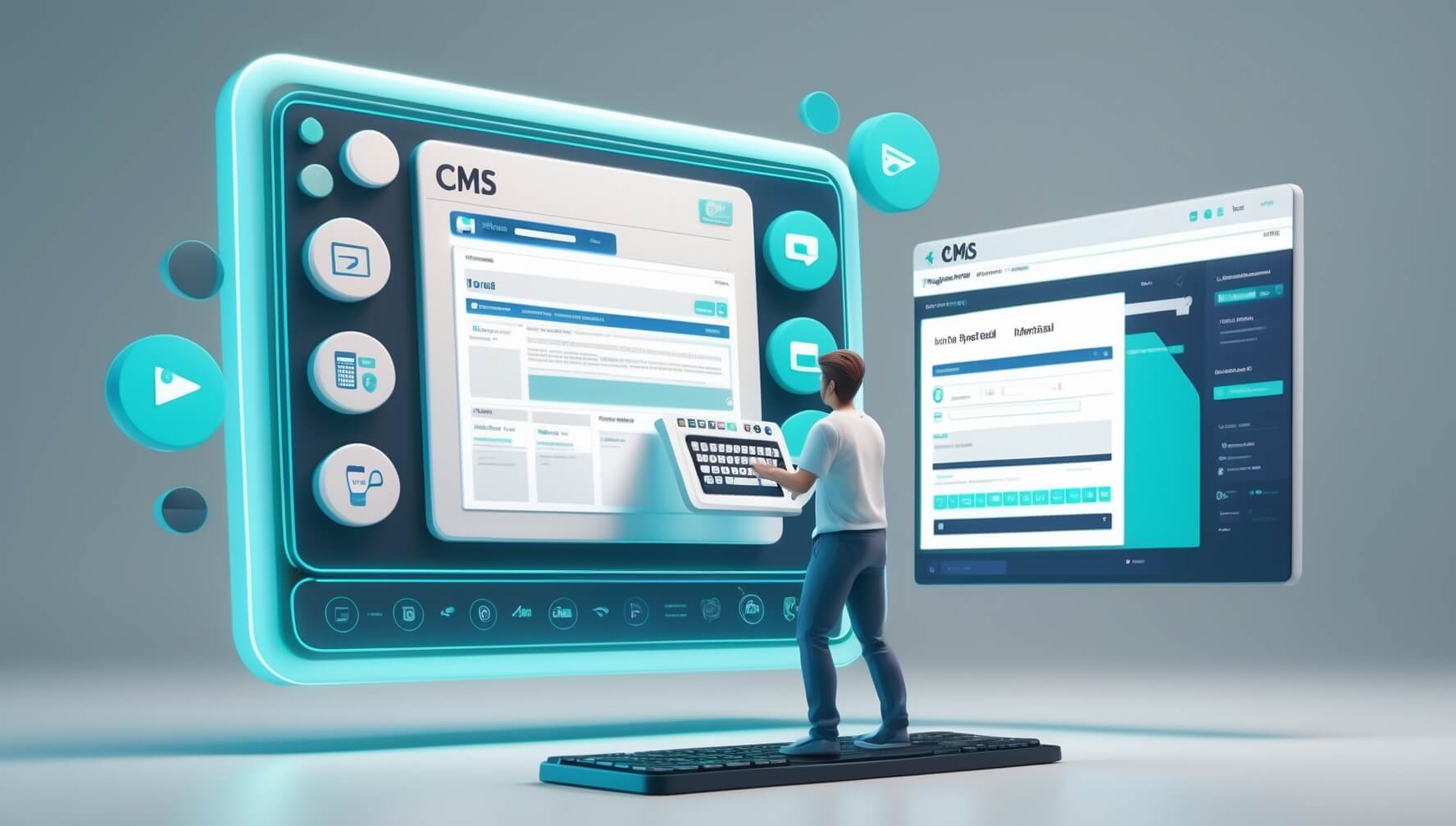
Managing a modern website without the right infrastructure quickly becomes an exercise in inefficiency—developers tied up making basic text edits, content teams waiting in a queue to publish a blog post, and no clear workflow for review and approval. Understanding what is a content management system is the first step toward solving all of that. A content management system, or CMS, is software that allows individuals and teams to create, edit, organize, and publish digital content—typically web pages, blog posts, images, and other media—through a user-friendly interface that requires no coding knowledge to operate effectively. According to IBM’s content management system overview, a CMS gives users the ability to build and modify digital content within a customizable interface, separating the work of content creation from the technical complexity of web development. In 2025, with the CMS market continuing to expand rapidly and platforms evolving to support AI-generated content, omnichannel delivery, and headless architectures, understanding your CMS options is more strategically important than ever.
What Is a Content Management System: Core Definition and How It Works
At its most fundamental level, answering what is a content management system requires understanding the two layers that make up every CMS. The first is the content management application (CMA)—the interface where content creators write, edit, format, and organize content without touching any code. The second is the content delivery application (CDA)—the backend infrastructure that takes the content stored in the CMA, applies templates and design rules, and renders it as a live web page visible to visitors. As Simplea’s CMS explainer describes, these two components work together so that content stored in a database is pulled through templates in the presentation layer—meaning your editorial team can update a page’s text while the visual design remains consistent and unchanged.
The practical result of this architecture is that non-technical users—marketers, writers, editors, product managers—can own the entire content creation and publishing workflow independently. They do not need a developer to upload an image, adjust a headline, add a new landing page, or schedule a blog post. This separation of content from code is what makes a CMS so valuable for organizations that need to publish content regularly and cannot afford to route every update through a development team. As further noted by the Britannica definition of content management systems, a CMS typically includes tools for creating and formatting content simple enough for most people to use, workflow options for administrators to assign roles, and a means of presenting that content online.
Advantages of Using a Content Management System
The business case for using a CMS extends well beyond simple convenience. Adopting a content management system restructures how your entire organization interacts with your digital presence, with benefits that compound over time as your content volume grows.
- Simplified content creation and editing – A CMS provides a WYSIWYG (What You See Is What You Get) editor that makes adding and updating pages as intuitive as writing a document in a word processor. No HTML, no CSS, no waiting for developer availability. Teams can publish and iterate at the speed the market demands.
- Multi-user collaboration with role-based permissions – A CMS allows multiple team members to work on content simultaneously, with role-based access controls that specify who can create, edit, review, approve, and publish. Writers get writer access, editors get editing privileges, and only designated administrators can touch design or structural settings—keeping workflows streamlined and preventing costly mistakes.
- Consistent brand presentation – Templates and design frameworks enforced by the CMS ensure that every page, blog post, and product listing inherits the same design language. New content automatically conforms to your brand standards without requiring design review for each individual piece.
- Built-in SEO tools – Most modern CMS platforms provide native or plugin-based tools for managing metadata, canonical URLs, XML sitemaps, structured data, and other technical SEO elements that influence how search engines index and rank your content.
- Version control and content history – A CMS stores a history of changes made to each piece of content, allowing teams to review previous versions, understand what changed, and revert to an earlier draft if a published update introduces errors or performance issues.
- Reduced technical dependency – Marketing and content teams that can operate independently of the development team ship faster, respond to opportunities more quickly, and remove a significant bottleneck from the content production pipeline.
Types of Content Management Systems in 2025
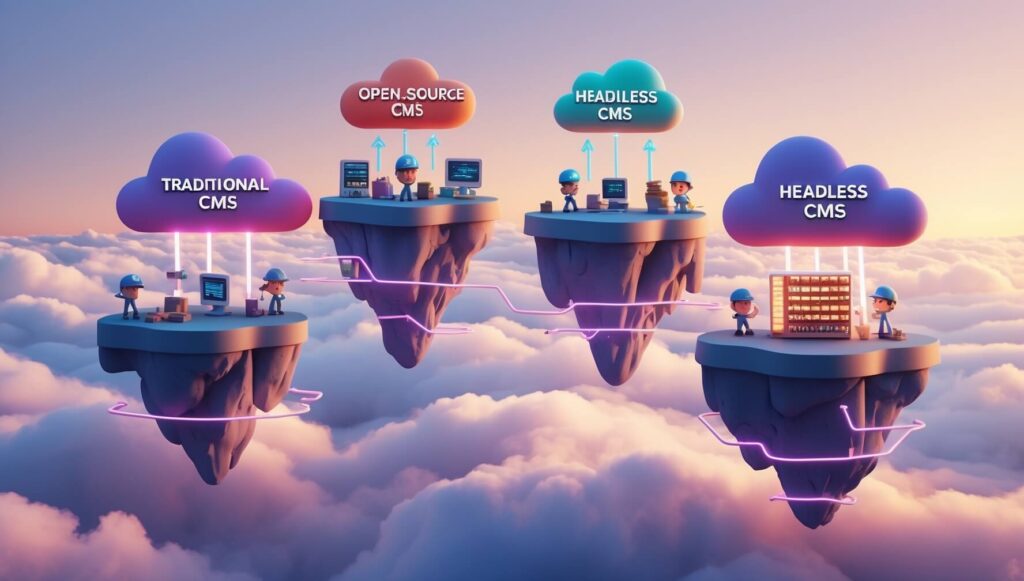
The CMS landscape has diversified considerably from the days when the choice was simply between WordPress and everything else. Understanding the available CMS architecture types is essential to choosing the system that fits your organization’s actual needs, team capabilities, and content strategy.
Traditional (Monolithic) CMS
A traditional or monolithic CMS couples the backend content management interface and the frontend presentation layer together in a single integrated system. WordPress is the defining example—content is stored in a database, a PHP template renders it as HTML, and everything lives on one server under one platform. Traditional CMS platforms power more than 40% of all websites as of 2025, according to data cited in Britannica’s CMS reference, a market penetration that reflects their accessibility, mature plugin ecosystems, and the large community of developers and designers who build for them. They are the right choice for most small to mid-sized businesses, bloggers, portfolio sites, and ecommerce stores that primarily publish content for a single website.
Headless CMS
A headless CMS decouples content storage from content presentation entirely. Content is stored and managed in a backend repository and delivered to any frontend—a website, a mobile app, a smart display, a digital kiosk, or any other channel—via an API. This architecture gives development teams complete freedom to build the frontend in any technology they choose, while content teams still use a familiar editing interface. The market momentum behind headless systems is significant: adoption statistics from Storyblok’s 2025 CMS usage statistics report show that 69% of businesses using headless CMS platforms report improved time-to-market and productivity, 58% cite better site performance, and 57% note enhanced personalization capabilities. For businesses that deliver content across multiple channels or need enterprise-level performance and flexibility, headless is increasingly the architecture of choice.
Open-Source CMS
Open-source CMS platforms—WordPress, Drupal, and Joomla being the most prominent—make their source code freely available for anyone to use, modify, and distribute. This openness creates vibrant developer communities that produce thousands of plugins, themes, and extensions, giving users extraordinary customization flexibility at relatively low cost. WordPress powers the largest share of the web with over 59,000 plugins available, while Drupal—best suited to complex enterprise sites with advanced security requirements—offers over 50,000 modules, as detailed in the Acquia Drupal versus WordPress comparison for enterprise CMS selection. The primary trade-off with open-source platforms is that the organization bears responsibility for hosting, security updates, performance optimization, and maintaining compatibility between core software and installed plugins.
Proprietary (SaaS) CMS
Proprietary and software-as-a-service CMS platforms—including Squarespace, Wix, HubSpot CMS, and Sitecore—are commercially developed and maintained by their vendors. They typically offer a smoother out-of-the-box experience with integrated hosting, automatic security updates, and customer support, at the cost of less customization flexibility and an ongoing subscription fee. SaaS CMS platforms are well-suited to small businesses and non-technical teams that want a fully managed solution without the overhead of platform maintenance. Enterprise-grade proprietary platforms like Sitecore and Adobe Experience Manager trade breadth of customization for deep personalization, analytics, and multi-site management capabilities aimed at large organizations with complex digital ecosystems.
Cloud-Based CMS
Cloud-based CMS platforms host all infrastructure on remote servers accessed via the internet, eliminating the need for on-premise hardware or self-managed hosting. Platforms like Contentful, Sanity, and Agility CMS operate on a cloud-native model that offers easy scalability, geographic redundancy, and pay-as-you-use pricing. The comprehensive analysis from JEG Design’s headless versus traditional CMS comparison for 2025 notes that cloud-native CMS platforms particularly excel when paired with static site generators and CDNs, delivering superior performance and scalability compared to self-hosted traditional platforms as content volume and traffic grow.
Key Features of a Content Management System
Not all CMS platforms are equally capable, and evaluating them requires a clear understanding of which features are essential for your specific use case. The following are the core capabilities that any production-ready content management system should provide.
| Feature | What It Does |
|---|---|
| WYSIWYG content editor | Allows non-technical users to create and format content visually, seeing the result as it will appear on the published page without writing code. |
| Media library management | Centralized storage and organization of images, videos, documents, and other media assets that can be searched, tagged, and reused across multiple pages. |
| Role-based access control | Granular permission settings that define what each user can create, edit, review, approve, publish, or delete within the CMS. |
| Version control and content history | Automatic tracking of all content changes with the ability to compare versions and restore previous states. |
| SEO tools | Native or plugin-based controls for meta titles, descriptions, canonical tags, XML sitemaps, and structured data markup. |
| Workflow and approval management | Configurable content workflows that route drafts through review and approval stages before publication. |
| Scheduling and publishing controls | The ability to set future publication dates and times so content goes live at the optimal moment without manual intervention. |
| Template and design management | Pre-designed, customizable page templates that ensure brand consistency without requiring design work for each new page. |
| Plugin and integration ecosystem | Compatibility with third-party tools including analytics platforms, marketing automation systems, ecommerce functionality, and CRM integrations. |
As the implementation guidance published by Acquia’s content management system guide details, the most effective CMS setups combine structured content storage with role-based publishing controls and approval workflows—so teams can collaborate at scale without the risk of unreviewed content going live or conflicting edits overwriting each other’s work.
How to Choose the Right Content Management System
The CMS you choose will shape your team’s day-to-day work, your website’s technical performance, and your ability to scale your digital presence over time. Making the right choice requires matching a platform’s actual capabilities to your specific needs—not selecting the most popular option or the one a competitor uses.
Define Your Use Case and Content Requirements
Different CMS platforms excel in different contexts. A company primarily publishing blog content and informational pages has completely different needs from an enterprise managing hundreds of product pages in multiple languages across several regional websites. Identify whether you need ecommerce functionality, multilingual support, personalization, a mobile app content layer, or integration with a specific CRM or marketing automation platform before evaluating individual tools. The detailed CMS platform comparison published by OneNine’s 2025 CMS comparison guide recommends mapping your specific content types, user roles, integration requirements, and growth projections to a requirements document before beginning any platform evaluation—a step that dramatically narrows the field and prevents costly mistakes.
Evaluate Scalability and Performance
A CMS that serves your needs today should also serve them when your content library is ten times larger and your monthly traffic has tripled. Evaluate how each platform handles high traffic volumes, large media libraries, and complex page structures. Open-source platforms on self-managed hosting can become performance bottlenecks as scale increases without significant investment in infrastructure optimization—while cloud-native and headless architectures are designed from the ground up for horizontal scaling.
Consider the Technical Capabilities of Your Team
Drupal is a powerful enterprise CMS that can handle extraordinarily complex content architectures—but it requires developer expertise to implement and maintain effectively. WordPress is accessible enough for a non-technical business owner to manage daily content operations but still requires developer involvement for serious customization. A SaaS platform like Squarespace eliminates most technical overhead entirely, at the cost of flexibility. Match the platform’s technical requirements to your team’s realistic capacity, not to your aspirational capability. As the side-by-side analysis from O8 Agency’s Drupal versus WordPress CMS guide advises, WordPress is the natural default for small-to-medium businesses needing ease of use and quick setup, while Drupal earns its position in complex projects that demand extensive customization, superior security, and advanced content modeling.
CMS Platform Comparison
| CMS Platform | Type | Cost | Best For | Technical Level |
|---|---|---|---|---|
| WordPress | Open-source | Free (hosting separate) | Blogs, SME websites, ecommerce (with WooCommerce) | Low to medium |
| Drupal | Open-source | Free (hosting separate) | Enterprise sites, government, complex content architectures | High |
| Joomla | Open-source | Free (hosting separate) | Mid-sized sites, multilingual content, community portals | Medium |
| Squarespace | SaaS/Proprietary | From ~$16/month | Small businesses, portfolios, design-focused sites | Low |
| Contentful | Headless/Cloud | Free tier; paid from $300/month | Omnichannel delivery, developer teams, enterprise | High |
| HubSpot CMS | SaaS/Proprietary | From ~$23/month | Marketing teams, lead generation sites, inbound strategies | Low to medium |

Implementing a Content Management System
Once you have selected the right platform, the implementation process determines how smoothly the transition goes and how quickly your team can begin operating effectively within the new system. A rushed or poorly planned implementation often results in data loss, broken integrations, frustrated teams, and a prolonged period of suboptimal performance—all of which are avoidable with proper preparation.
Planning and Requirements Documentation
Before any technical work begins, document your content types, user roles, workflow requirements, integration dependencies, and performance expectations in detail. This requirements document becomes the specification against which all implementation decisions are measured. Identify who on your team will own each component of the implementation—content migration, design template development, plugin or module configuration, user setup, and training—and assign clear ownership with realistic timelines.
Data Migration
Migrating content from a legacy system, a collection of static HTML files, or a different CMS is typically the most technically complex and time-consuming part of any CMS implementation. Develop a migration plan that inventories all existing content, maps each content type to its equivalent structure in the new CMS, and includes a validation process to verify that migrated content is complete and correctly formatted. Always perform migration in a staging environment and conduct thorough quality assurance review before going live. The step-by-step implementation guidance from ERIEIT’s beginner’s guide to content management systems emphasizes that testing the migration process fully before launch is one of the most critical risk-reduction steps in any CMS transition.
Customization and Integration
Configure the CMS to reflect your actual workflows—setting up user roles and permissions, installing and configuring the plugins or modules your content strategy requires, connecting analytics and marketing tools, and applying your brand’s design templates. Avoid the common mistake of over-installing plugins or modules at launch; each additional integration adds maintenance overhead and potential security surface area. Start lean, validate core functionality thoroughly, and add integrations incrementally as your team’s confidence with the platform grows.
User Training and Adoption
Even the most intuitive CMS will see poor adoption if team members are not given structured training that is specific to how your organization has configured the system. Generic platform documentation is helpful, but nothing replaces hands-on training sessions that walk through your specific workflows, content types, and approval processes. Create internal documentation that reflects how your team will actually use the CMS—not how it could theoretically be used—and designate internal CMS champions who can provide peer support and answer questions as they arise during the first weeks of operation.
Best Practices for Content Management System Usage
A CMS is only as effective as the processes and habits built around it. The following best practices ensure that your platform continues to deliver value as your content program scales.
- Establish a clear content taxonomy. Define and document your content categories, tags, and naming conventions before content creation begins. Consistent taxonomy makes content discoverable within the CMS, supports accurate analytics, and prevents the organizational entropy that accumulates when content is filed inconsistently over time.
- Use scheduling consistently. Take advantage of your CMS’s scheduling functionality to plan content publication for peak audience hours rather than publishing reactively whenever a piece is ready. Consistent, timed publishing trains your audience to expect regular content and feeds platform algorithms that favor consistent posting cadences.
- Maintain version control discipline. Save draft versions before making significant edits to published pages, and maintain the habit of leaving meaningful notes in the revision history so teammates can understand what changed and why. This discipline pays dividends when a published change introduces an unexpected issue and needs to be reverted quickly.
- Audit and update content regularly. Content that was accurate and SEO-optimized at publication gradually decays as information changes and competitors produce fresher material. Schedule periodic content audits—quarterly for high-traffic pages, annually for lower-priority content—to update statistics, refresh outdated information, and improve underperforming pages.
- Keep the platform and plugins updated. Security vulnerabilities in CMS software and plugins are a primary vector for website attacks. Maintain a regular update schedule, test updates in a staging environment before applying them to production, and remove plugins that are no longer maintained or necessary.
Challenges and Solutions in CMS Implementation
Even well-planned CMS implementations encounter predictable challenges. Knowing what they are in advance—and having solutions ready—significantly reduces the risk of a derailed project or a failed adoption.
Technical Skills Gap
Teams without in-house technical expertise may struggle with CMS configuration, plugin conflicts, and performance optimization. Solution: Choose a platform whose complexity matches your team’s actual capabilities rather than your aspirational ones. Supplement internal skills with a qualified CMS developer on a part-time or project basis for implementation work, then transition to self-managed operations once the system is stable and documented.
Resistance to Workflow Changes
Team members comfortable with legacy processes often resist adopting new tools, particularly if the benefit to them personally is not immediately obvious. Solution: Involve key stakeholders in the CMS selection process early, communicate the specific workflow improvements the new system will deliver, and address concerns directly rather than dismissing them. Early wins—demonstrating how a task that previously took hours now takes minutes—build momentum and shift resistant attitudes.
Integration Complexity
Connecting a new CMS to existing CRM systems, marketing automation platforms, analytics tools, and ecommerce backends can be unexpectedly complex, particularly with legacy systems not built for modern API integration. Solution: Audit all required integrations before selecting a platform and verify that each integration is natively supported or well-documented. Allocate additional time and technical resource budget for integration work—it almost always takes longer than initial estimates suggest.
Security Vulnerabilities
Open-source CMS platforms are high-value targets for automated attacks precisely because their code is publicly known. Outdated plugin versions, weak administrator passwords, and misconfigured permissions are the most common attack vectors. Solution: Implement a security-first maintenance routine that includes regular core and plugin updates, two-factor authentication for all administrator accounts, automated daily backups stored off-server, and regular security scans using tools like Wordfence or Sucuri for WordPress-based deployments.

Emerging Trends Shaping CMS in 2025
The CMS platforms of 2025 look substantially different from those of five years ago, and the pace of change continues to accelerate. Understanding the trends shaping the space helps organizations make CMS investments that will remain relevant as technology evolves.
AI-Assisted Content Creation and Optimization
Artificial intelligence is rapidly becoming a native feature of CMS platforms rather than an add-on capability. Leading platforms are embedding AI tools that assist with content generation, automatic metadata creation, SEO recommendations, content personalization at scale, and image optimization. As 2025 CMS trend data from Creative Frontiers’ ultimate guide to content management systems notes, platforms like WordPress, Webflow, and Sitecore are integrating AI capabilities that transform how businesses build and scale their digital presence—with AI-ready features moving from competitive differentiators to baseline expectations for modern CMS platforms.
Headless and Composable Architecture Growth
The shift from monolithic, tightly coupled CMS architectures toward headless and composable systems—where best-of-breed tools for content management, commerce, personalization, and search are connected via APIs—continues to accelerate in 2025. As organizations demand more flexibility to deliver content across web, mobile, voice, and emerging channels simultaneously, the headless model’s ability to serve all of these endpoints from a single content repository becomes increasingly compelling. The detailed architecture comparison from Kontent.ai’s 2025 headless CMS buyer’s guide highlights that headless platforms excel in scalability, omnichannel delivery, and developer flexibility—making them the natural choice for enterprises managing content across multiple digital touchpoints.
Voice Search and Conversational Content Optimization
With the continued growth of voice-activated assistants and smart speakers, CMS platforms are adding tools to help content teams structure and optimize content specifically for voice query responses. This means creating conversational, question-answer formatted content, implementing structured data markup that helps voice assistants identify and read out relevant answers, and ensuring that the most frequently asked questions about your business are addressed directly in your published content. CMS platforms that make structured data implementation accessible to non-technical content editors—without requiring developers to manually add schema markup—are gaining adoption advantage in markets where voice search traffic is growing.
Omnichannel Content Delivery
As the number of digital touchpoints where customers interact with brands continues to multiply, the ability to manage all content from a single platform and distribute it consistently to every channel—website, mobile app, digital signage, email, social media, and beyond—is becoming a primary CMS selection criterion for mid-size and large organizations. Headless and cloud-native CMS platforms are purpose-built for this requirement, while traditional monolithic systems are adding API layers to extend their reach beyond the single-website use case they were originally designed for.
Conclusion
Understanding what is a content management system—and choosing the right one for your specific situation—is one of the most consequential technical decisions a business makes for its digital presence. The right CMS removes friction from content creation, enables non-technical team members to own the publishing workflow, provides the SEO and performance infrastructure that search visibility requires, and scales gracefully as your content volume and audience grow.
In 2025, the choice is no longer simply between WordPress and everything else. The maturation of headless architectures, cloud-native platforms, and AI-integrated editing tools has created a genuine range of strong options for every use case and team profile. Whether you are launching a new website, migrating from a legacy system, or evaluating whether your current platform can support your next phase of growth, the framework in this guide—understanding the types, features, selection criteria, and emerging trends in the CMS landscape—gives you what you need to make a well-informed decision that serves your business for years to come.