Cart 0


Share
Table of Contents
Buffer Social Media
If you want a simpler, more strategic way to manage your social channels, Buffer Social Media gives you a single hub to plan content, publish consistently, and understand what is actually working. Instead of jumping between apps all day, you can keep your queue, analytics, and engagement workflows together, so your social presence feels intentional instead of reactive.
In this guide, you will see how Buffer Social Media helps you schedule posts across networks, collaborate with a team, automate repetitive tasks, and turn raw data into insights you can act on. We will walk through key features, practical use cases, and concrete tips for using Buffer Social Media to support a modern, data‑driven social media marketing strategy in 2024.
What Makes Buffer Social Media Different?
At its core, Buffer Social Media is designed to be clean, focused, and easy to learn, even if you are not a full‑time social media manager. From the main dashboard you can connect multiple social channels, drop posts into a shared queue, and see at a glance what is scheduled, what has gone live, and how your latest content is performing.
Unlike many all‑in‑one “do everything” tools, Buffer keeps its interface streamlined and centers the workflows marketers use every day: composing posts, scheduling, collaborating, and reviewing analytics. Official pages such as Buffer Publish and the social media scheduler overview show how the platform focuses on planning, visual calendars, and multi‑platform posting instead of cluttered extras. Independent reviews from agencies and technology blogs regularly highlight Buffer’s simplicity and shallow learning curve compared with more complex suites.
Key Features of Buffer Social Media for 2024
To understand what you can do with Buffer Social Media, it helps to break its feature set into the pillars you will use most: publishing, collaboration, engagement, and analytics. Each pillar is designed to work together so your content pipeline runs smoothly from idea to report.
Multi‑Platform Scheduling and Publishing
The scheduling engine behind Buffer Social Media lets you plan content for major platforms from one place, including Instagram, Facebook, LinkedIn, X (Twitter), Pinterest, TikTok, and more, depending on your plan and channel mix. The publishing overview on Buffer Publish explains how you can set custom posting schedules, drop posts into a queue, or schedule specific times with a visual calendar that shows everything lined up for the week or month.
Guides on using Buffer for post scheduling describe how you can connect channels, set time slots for each profile, and then “add to queue” so posts automatically go out at your preferred times. Step‑by‑step tutorials from agencies and productivity blogs walk through common workflows: setting up queues for each network, customizing content per platform, and using options like “Share Next,” “Schedule Post,” and “Add to Queue” to control timing without manual posting each day.
Content Creation and AI Assistance
Beyond scheduling, Buffer Social Media includes tools to help you create and refine content. Reviews from marketing blogs note that you can import assets from tools like Canva or cloud storage, then use Buffer’s AI assistant to generate captions, repurpose copy for different networks, and test variations that might perform better. This is especially helpful if you manage multiple brands or need to tailor one idea into several versions for Instagram, LinkedIn, and X.
Feature roundups on sites such as Zapier describe how the AI assistant sits directly in the composer: you can start typing, then ask the assistant to rephrase, expand, shorten, or adapt your draft to another platform’s tone and length. Used well, this turns Buffer Social Media into both a planner and a creative partner.
Team Collaboration and Approvals
For organizations working with multiple stakeholders, Buffer Social Media offers collaboration features so you can manage drafts, approvals, and role‑based access. Buffer’s own feature comparison table shows that business and team plans can invite additional users, assign permissions, and use approvals to keep posts from going live before a manager has reviewed them.
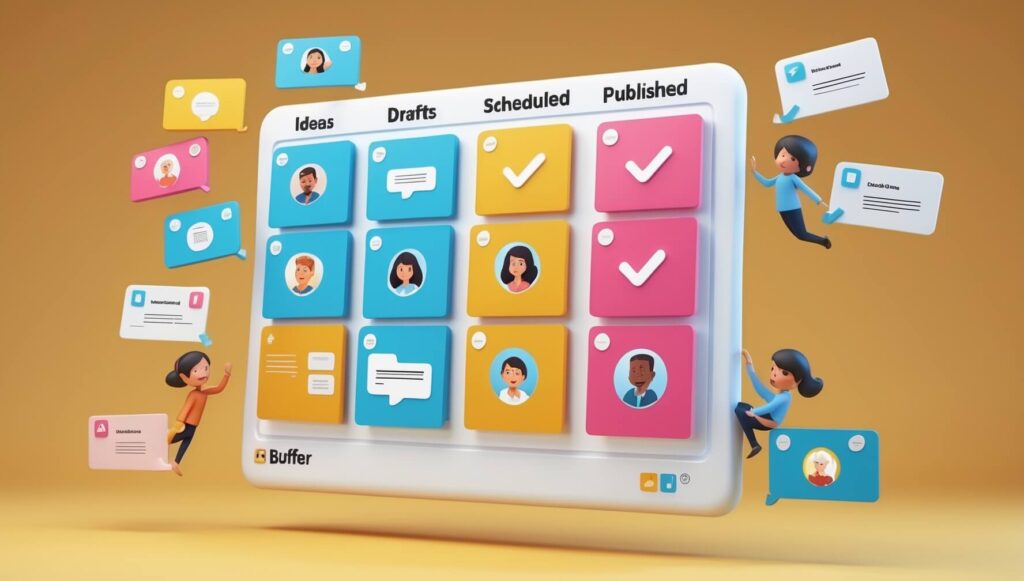
Independent reviews highlight how teams can keep drafts organized, leave notes on posts, and assign status stages so everyone can see which ideas are still in concept, which are ready to be scheduled, and which have already been published. This helps marketing, customer service, and leadership stay aligned without endless email threads or spreadsheets.

Designing a Strong Strategy with Buffer Social Media
Technology alone will not fix a weak social strategy. To get the most from Buffer Social Media, you should first be clear about which audiences you want to reach, which platforms matter most, and what role social should play in your broader marketing mix.
Start by deciding whether you want social media to drive brand awareness, website traffic, leads, direct sales, or some combination. Then choose 2–4 primary metrics that match those goals, such as engagement rate, click‑through rate, conversions, or audience growth. Once you have those targets, you can use Buffer’s queue, calendar, and analytics to test content systematically instead of guessing.
Mapping Channels and Content Types
List the channels you manage inside Buffer Social Media—for example, Instagram, LinkedIn, and X—and assign specific roles to each. Instagram might focus on visual storytelling and community, LinkedIn on thought leadership and B2B reach, and X on quick updates or real‑time commentary. Then create content pillars for each platform, such as educational tips, behind‑the‑scenes posts, product highlights, and customer stories.
By mapping this structure up front, your Buffer queue becomes a strategic calendar instead of a random list of posts. You can quickly glance at the calendar view and confirm that each week includes the right balance of formats and themes across your key networks, then adjust as performance data rolls in.
Using Buffer Social Media for Smarter Scheduling
One of the strongest reasons marketers adopt Buffer Social Media is its ability to remove the daily stress of “What do we post today?” and “Who is on duty to publish?” When you batch content creation and scheduling, you free up mental space for higher‑level work while keeping your feeds consistently active.
Create a Consistent Posting Rhythm
With Buffer, you can set posting schedules for each profile, then reuse those patterns every week. The scheduler in Buffer Publish lets you choose specific days and times, then automatically slot posts into the next available time. This rhythm helps you maintain consistency—one of the biggest predictors of long‑term audience growth—without needing to remember to post at each time window.
Many how‑to guides recommend starting with a modest schedule per platform (for example, three posts per week on Instagram, one or two on LinkedIn, and daily short updates on X), then adjusting frequency as you see what your audience can handle. With Buffer Social Media, those adjustments are as simple as editing your calendar and queue.
Cover Multiple Time Zones Without Late‑Night Posting
If your audience spans regions, Buffer Social Media makes it easy to publish at relevant times for each segment without logging in at odd hours. You can create different time slots for each channel based on where most of its followers are located, then schedule content so it appears during peak activity for each region.
This is especially valuable for global brands or online businesses that sell in several markets. Instead of choosing one compromise time, you can clone or adapt posts so they reach morning audiences in Europe, midday audiences in North America, and evening audiences in Asia–Pacific with minimal extra effort.
Leveling Up Engagement with Buffer Social Media Analytics
Publishing is only half of the equation. To refine your strategy, you need to know what happens after posts go live. Buffer’s analytics products, such as Buffer Analyze, are built to help you see your top‑performing content, understand audience behavior, and present clear reports to your team or clients.
Core Metrics to Watch
Inside Buffer Social Media, you can track metrics like engagement rate, impressions, reach, clicks, and follower growth for supported networks. Buffer’s own explanations of social media analytics describe how engagement rate (interactions divided by impressions) shows how compelling your content is, while click‑through rate indicates how many people your posts are sending to your website or landing pages.
Resources such as Buffer’s social media analytics guides and insights hub detail how to interpret these numbers in context—such as looking at trends over time, comparing performance by post type, or benchmarking your metrics against industry averages pulled from aggregated customer data.
Reports and Insights for Better Decisions
With paid plans, Buffer Social Media lets you build custom reports that combine charts and tables from multiple profiles into one exportable document. This is especially helpful if you manage several brands or channels and need to present results to stakeholders. The analytics product page highlights how you can choose specific metrics, date ranges, and profiles to create recurring reports without rebuilding them every month.
In addition, Buffer publishes ongoing research on its social media insights hub, including best‑time‑to‑post guides and benchmark studies. Combining this external research with your own analytics from Buffer gives you a strong foundation for experimenting with new posting times, formats, and content angles.
How Buffer for Business Supports Teams
When you upgrade to business‑focused plans, Buffer Social Media becomes a complete collaboration environment for teams managing multiple brands, regions, or departments. Instead of juggling logins or relying on informal processes, you can centralize access, approvals, and reporting.
Roles, Permissions, and Approvals
Buffer’s feature lists show that business plans can invite multiple team members, assign them to specific channels, and control what actions they can take (such as creating drafts, editing queues, or approving posts). This makes it safe to let specialists, agencies, or regional teams contribute to your calendar without risking accidental changes to profiles they should not manage.
Approval workflows let creators submit drafts that managers can review and approve before they are added to the queue. This ability to separate writing from publishing is critical for larger organizations that need brand and legal reviews but still want to move quickly.
Integrations and Extended Workflows
Buffer Social Media integrates with a growing set of tools so you can fit it into your existing stack. Buffer’s official channels highlight connections with content creation tools like Canva, link management, e‑commerce platforms, and automation services such as Zapier. Articles like the Zapier feature roundup on Buffer features walk through practical automations—for example, sending new blog posts into your Buffer queue or syncing Shopify performance data with Buffer analytics.
As Buffer continues to roll out updates, including new integrations and publishing options for emerging platforms, their product update posts are a useful way to stay on top of capabilities that could simplify your day‑to‑day workflows even further.

Unlocking Efficiency with Social Media Automation
Automation inside Buffer Social Media is about more than simply posting at scheduled times. When used thoughtfully, automation can help you maintain consistency, recycle evergreen content, and respond to performance data faster without turning your feed into a repetitive stream.
Bulk Scheduling and Evergreen Content
By uploading several posts at once or building sequences of evergreen updates, you can keep your queue full weeks in advance. Tutorials on using Buffer for post scheduling show how to upload content in batches, shuffle queues when necessary, and pause publishing during holidays or sensitive events without deleting your work. This combination of structure and flexibility gives you control while still saving significant time.
Evergreen posts—such as tips, FAQs, or foundational blog articles—can be scheduled to appear multiple times over a quarter, reaching new followers who may have missed them the first time. With analytics in place, you can then refine which evergreen posts deserve more repeats and which should be retired.
Getting Started with Buffer Social Media
If you have not used Buffer Social Media before, the fastest way to get comfortable is to start small: connect one or two channels, define a simple content plan, and schedule a week’s worth of posts. Then review analytics at the end of the week and adjust based on what you learn.
You can create an account directly on Buffer or via the mobile app, then follow onboarding prompts to connect Instagram, Facebook, LinkedIn, X, or other networks you use. Buffer’s free resources, including its blog and academy‑style tutorials, cover everything from basic publishing to advanced analytics and are worth exploring as you scale up.
Using the Mobile App for On‑the‑Go Management
For marketers who often work from their phones, the mobile version of Buffer Social Media lets you preview, schedule, and adjust posts while away from your desk. The app listings on platforms such as Google Play describe how you can manage queues, check basic analytics, and respond to comments or mentions in one place, which is helpful when you need to keep an eye on multiple profiles while traveling or attending events.
Combining desktop workflows for deep planning and analytics with mobile flexibility for quick updates gives you a balanced way to stay present on social media without letting it dominate your day.
Conclusion: Putting Buffer Social Media to Work for Your Brand
Used with intention, Buffer Social Media can move your social presence from “busy but random” to consistent, strategic, and measurable. By centralizing your scheduling, content creation, collaboration, and analytics in one tool, you gain a clearer view of what truly drives engagement and results for your audience.
Start by defining your goals and content pillars, then set up pragmatic posting schedules for your main channels. Use Buffer’s AI‑supported composer and integrations to fill your calendar efficiently, and lean on the analytics dashboards to refine your approach month after month. Whether you are a solo creator, a growing business, or a full marketing team, Buffer Social Media gives you the structure and insight you need to turn social media from a time sink into a reliable growth engine.