Cart 0

Share
In today’s digital landscape, where attention is scarce and alternatives are a click away, a deliberate user experience strategy is the single most effective plan for creating products and services that people not only use but genuinely prefer. It is the structured blueprint that aligns deep user understanding with clear business objectives, ensuring every design decision—from the broadest information architecture to the smallest interface microcopy—serves a purpose. Without this strategic foundation, teams often build based on internal assumptions, leading to digital journeys riddled with friction that silently erode conversion, trust, and loyalty. A robust user experience strategy transforms this reactive approach into a proactive discipline, systematically removing barriers to create seamless, intuitive, and valuable interactions that drive measurable growth. This article will deconstruct the core components of building and executing a winning UX strategy, providing a actionable framework you can implement to elevate your digital product from functional to exceptional.
Table of Contents
What Is a User Experience Strategy? A Foundational Definition
At its core, a user experience strategy is a long-term, living plan for designing, delivering, and continuously improving digital interactions. It moves far beyond aesthetics or isolated screen design. This strategic plan explicitly defines which user problems you are solving, for which audiences, how you will solve them, and—critically—how you will measure success. It acts as the connective tissue between user needs, business goals, and technical execution, providing a shared vision and decision-making framework for product, design, marketing, and development teams. In practice, a user experience strategy answers the fundamental questions: What does success look like for our users and our business? How do we get there consistently? And how do we know we’re on the right track?
Consider the common alternative: a feature-driven roadmap. A team decides to “add a chatbot” or “redesign the homepage” based on a competitor’s move or an executive’s whim. The result is often a disjointed patchwork of features that may look modern but fail to address core user frustrations or advance key business metrics. A true UX strategy inverts this process. It starts with the user’s end-to-end journey and business outcomes, then determines what features, content, and improvements are necessary to serve those ends. This strategic alignment is what separates market leaders from also-rans.
The Five Pillars of an Effective UX Strategy
While frameworks can vary, any comprehensive user experience strategy rests on five interdependent pillars. Think of these not as a linear checklist but as a cyclical system of continuous learning and refinement.
| Pillar | Core Question | Key Outputs |
|---|---|---|
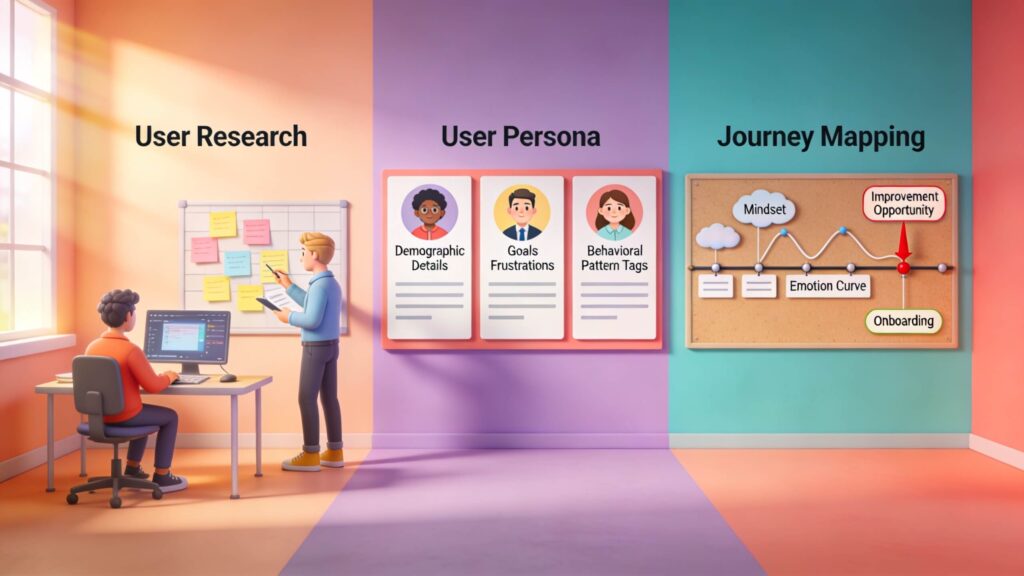
| User Research | Who are our users and what do they need? | Personas, journey maps, pain point analysis |
| Goal Definition | What does success look like for users and the business? | OKRs, success metrics, key performance indicators |
| Experience Structure | How is information and functionality organized? | Information architecture, sitemaps, user flows |
| Design & Validation | How do we build and test the right solutions? | Wireframes, prototypes, usability test reports |
| Measurement & Iteration | How do we learn and improve post-launch? | Analytics dashboards, feedback loops, optimization roadmaps |
User Research: The Unshakeable Foundation of Strategy
You cannot build a strategy for an audience you do not understand. User research is the non-negotiable starting point, replacing guesswork and opinion with evidence and empathy. A common fatal error is assuming the team’s perspective matches the user’s. Internal stakeholders are power users; they know the product’s history, its jargon, and its hidden features. Real users possess none of this context. Comprehensive research bridges this gap, revealing goals, behaviors, mental models, and unarticulated needs.
Effective research employs a mixed-methods approach. Qualitative techniques, like one-on-one interviews and contextual inquiry, uncover the “why” behind behavior. They reveal emotional drivers, workflow contexts, and latent needs users might not explicitly state. Quantitative methods, such as analytics analysis and broad surveys, reveal the “what” and “how much.” They identify behavioral patterns, quantify problem frequency, and validate hypotheses at scale. For instance, analytics might show a 70% drop-off on a payment form (quantitative), while user interviews reveal that confusion around a “security verification” step is the cause (qualitative). This combination is powerful.
Beyond methods, segmentation is crucial. Treating “users” as a monolith leads to a generic, ineffective experience. Your research must distinguish between new visitors, evaluating your value proposition; engaged users trying to complete a core task; and power users seeking advanced efficiency. Resources like the Usability.gov methods library provide excellent starting points for planning research. In a recent project for a financial services client, deep-dive interviews with small business owners revealed that their primary need wasn’t more reporting features, but a faster way to reconcile common transactions. This insight fundamentally redirected the product roadmap, saving months of development on low-impact features.
Aligning User Needs with Business Objectives
A user experience strategy that only pleases users is unsustainable; one that only extracts value erodes trust. The art lies in forging a symbiotic connection between user outcomes and business results. This alignment is what secures executive buy-in and ensures UX is viewed as a core business driver, not a cost center. Start by defining outcomes, not just outputs. An output is “a new filter panel.” An outcome is “users can find relevant products 50% faster, leading to a 15% increase in add-to-cart actions.”
Concretely, this means establishing shared key performance indicators (KPIs). User-centric KPIs might include task success rate, time-on-task, System Usability Scale (SUS) scores, or Customer Effort Score (CES). Business KPIs are typically conversion rate, customer lifetime value (LTV), support ticket volume, or retention rate. The strategic magic happens when you demonstrate how improvements in the first set directly influence the second. For example, reducing the cognitive effort (CES) required to sign up for a software trial directly improves the lead qualification rate and lowers the cost-per-acquisition, as fewer users abandon the process confused.
I advise teams to create a simple alignment matrix. List your key user personas, their primary goals, and the associated business metric each goal impacts. This becomes a powerful communication tool. When proposing a redesign of the help center, you can directly tie it to reducing support contacts (a user goal of quick problem-resolution) which lowers operational costs (a business goal). This framework moves discussions from subjective opinions about “look and feel” to objective debates about user and business value.
Structuring the Experience: Information Architecture
If user research provides the “why” and goals provide the “what,” then information architecture (IA) defines the “where.” It is the structural design of shared information environments—the backbone of findability and understanding. A stunning interface built on a weak IA is like a beautiful store where nothing can be found; frustration is inevitable. Good IA organizes content and functionality according to user mental models, not internal org charts.
The consequences of poor IA are severe: high search usage, elevated bounce rates, increased support calls, and failed task completion. Techniques like card sorting (where users group content into categories that make sense to them) and tree testing (validating a proposed site structure) are indispensable. For example, a university website might internally organize content by administrative offices (Registrar, Bursar, Admissions). Prospective students, however, think in terms of tasks: “How to apply,” “See tuition costs,” “Explore majors.” An IA that mirrors the latter dramatically improves accessibility.
A principle I emphasize is “progressive disclosure.” Don’t present all information or options at once. Start with a clear, simple primary structure. Provide pathways to deeper, more specific information as the user needs it. This reduces cognitive load upfront. Furthermore, your IA must be resilient across channels. The navigation logic should feel consistent whether a user is on a mobile app, a responsive website, or using a voice assistant. The structural clarity of your information architecture is a primary determinant of whether your user experience strategy feels coherent or chaotic.
Visualizing the Pathway: User Journey Mapping
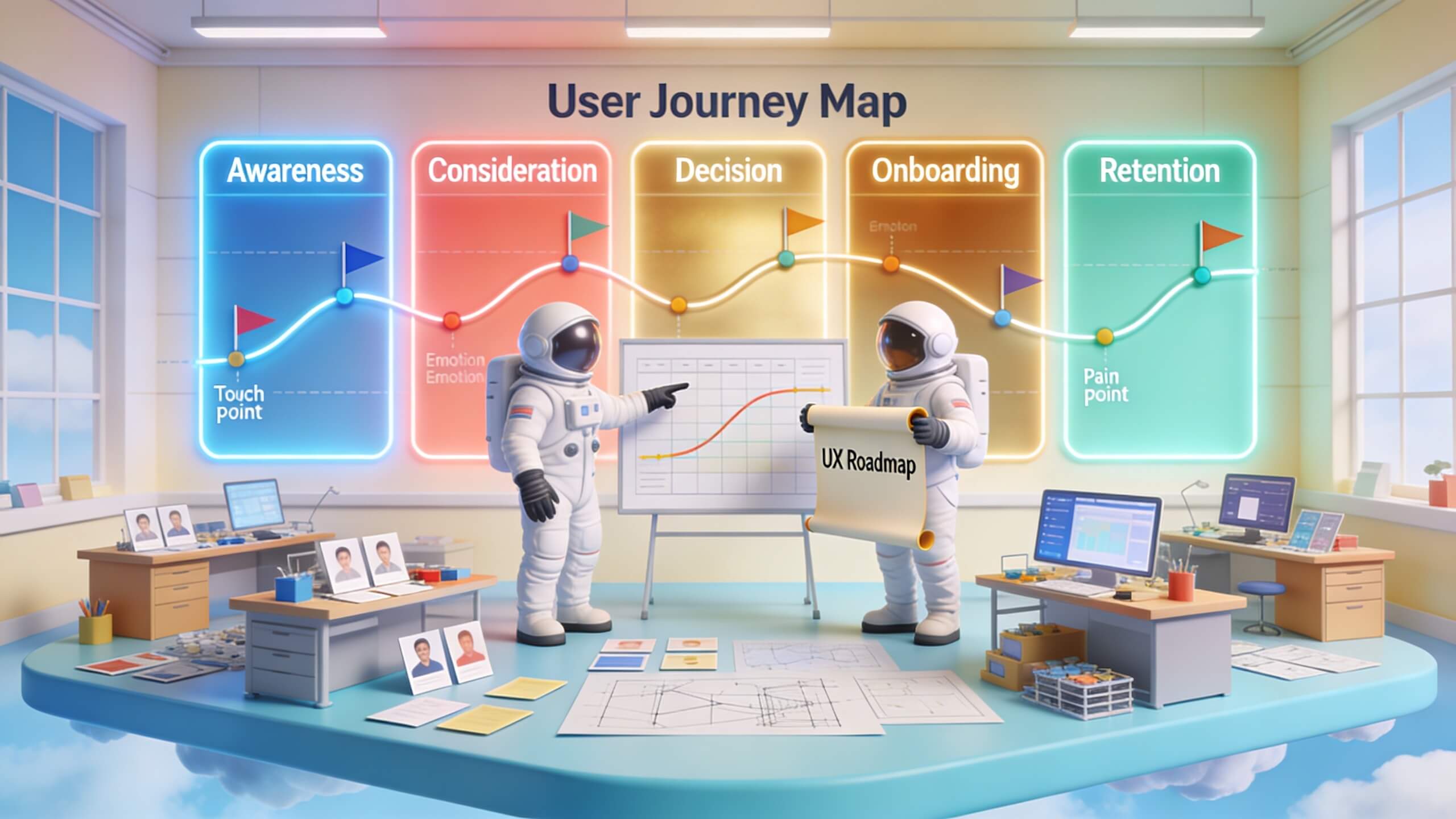
A user’s interaction with your brand is rarely a single, linear screen flow. It’s a cross-channel, multi-touchpoint journey that spans awareness, consideration, onboarding, usage, and advocacy. User journey mapping is the tool that makes this complex ecosystem visible and actionable. It charts the user’s step-by-step process, capturing not just their actions, but their thoughts, emotions, and the channels they use. This holistic view is critical because the greatest friction often occurs in the handoffs *between* touchpoints—between a marketing email and a landing page, or from a product experience to a customer support call.
A robust journey map goes beyond a simple timeline. It layers in the user’s emotional state (frustration, confidence, confusion), pinpoints specific pain points (e.g., “form asks for redundant information”), highlights moments of truth where trust is won or lost, and identifies backend processes and ownership. This visualization creates a shared understanding across siloed teams (marketing, sales, product, support), aligning them on a common enemy: user friction.
The strategic power of journey mapping lies in prioritization. By mapping the current-state (“as-is”) journey, you can identify the most severe pain points that impact both user satisfaction and business metrics. Should you invest in the checkout flow or the post-purchase tracking experience? A journey map quantified with data (e.g., “60% of users express confusion at this step, leading to a 30% drop-off”) provides the answer. You then design a future-state (“to-be”) journey that systematically alleviates those pains. This ensures your UX strategy investments are directed at the leaks causing the biggest holes in the boat, not just the most visible ones.
The UX Design Process: A Strategic Workflow
A user experience strategy requires a disciplined process to move from insight to execution. This process is a risk-mitigation engine, ensuring you build the right thing before you build it right. While agile and adaptable, high-performing teams typically cycle through six key phases: Research, Define, Ideate, Prototype, Validate, and Iterate.
Phase 1: Research and Definition
This phase synthesizes all inputs—user research, analytics, market analysis, technical constraints, and business goals—into a crystal-clear problem statement. A vague brief (“make the dashboard better”) yields vague results. A strong problem statement is specific and user-centered: “New administrators struggle to configure security settings within their first week, leading to low feature adoption and increased risk.” This definition aligns the entire team on the *what* and *why* before any solution is proposed.
Phase 2: Ideation and Prioritization
Here, the team explores a wide range of potential solutions, from incremental tweaks to blue-sky concepts. Techniques like brainstorming, design studios, and competitive analysis fuel this divergence. The critical strategic step is convergence through prioritization. A framework like the Value vs. Effort Matrix is essential. Plot each idea based on its estimated user/business value against the implementation effort. The “quick wins” (high value, low effort) are immediate candidates. The “big bets” (high value, high effort) require more validation. This ensures your UX strategy is pragmatic and resource-conscious.
Phase 3: Wireframing, Prototyping, and Validation
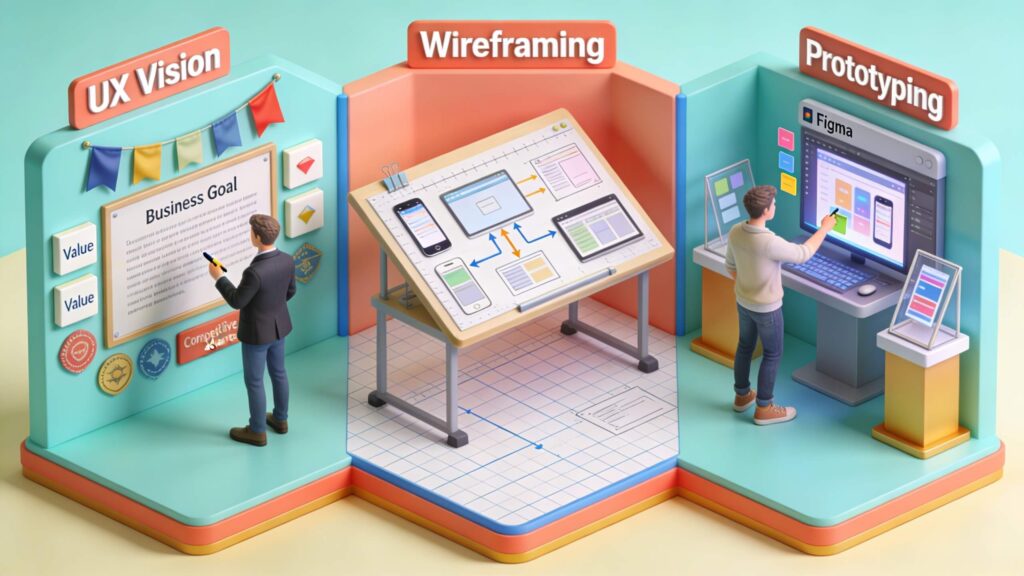
Wireframes (low-fidelity layouts) define structure and hierarchy. Interactive prototypes (built with tools like Figma or Adobe XD) simulate the flow and functionality. These are your cheapest, fastest vehicles for learning. Usability testing with these prototypes is non-negotiable. Observing just five to eight target users attempt key tasks will uncover the majority of critical usability issues. As the Interaction Design Foundation notes, early validation prevents expensive rework later. This phase transforms abstract ideas into testable experiences, de-risking the development investment.
Designing Interfaces That Reduce Cognitive Load
The visual interface is the tangible manifestation of your user experience strategy. Its goal is not to be “pretty” but to be invisible—to facilitate action with minimal conscious thought. Every pixel should serve a purpose guided by core principles. Visual hierarchy uses size, color, contrast, and spacing to signal importance, guiding the user’s eye to the next logical step. Consistency in components (buttons, form fields, icons) and patterns builds user confidence and reduces learning time.
Strategic interface design also demands a focus on feedback and accessibility. Users need clear, immediate confirmation of their actions. A button should change state when clicked; a form submission should show a loading indicator and then a success message. Accessibility, guided by WCAG guidelines, ensures your experience is usable by people with disabilities. This is not just ethical; it’s a legal imperative and expands your market reach. Furthermore, mobile-first design is now a strategic necessity. Interfaces must be built for thumb navigation, intermittent attention, and slower connections, not merely shrunk from a desktop view.
A practical test I use is the “squint test.” If you squint at a screen, can you still discern the primary call to action and content sections? If not, the visual hierarchy is weak. Another rule: if you need a tooltip or help text to explain a basic interaction, the design itself has likely failed. The interface should speak for itself, a direct result of a strategy rooted in user understanding.
Usability Testing and Continuous Optimization
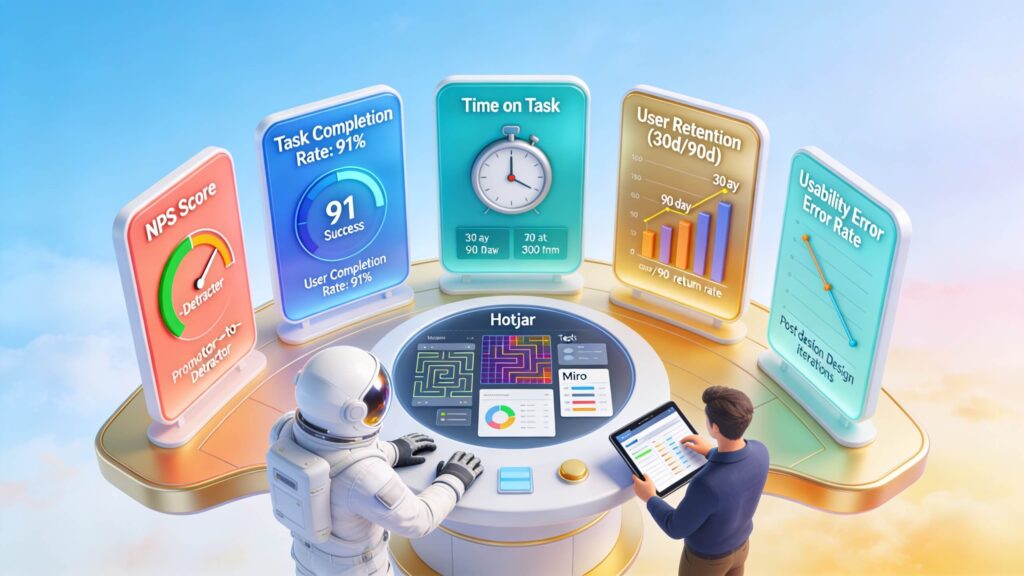
Launch is not the end of your user experience strategy; it’s the beginning of learning at scale. Usability testing must evolve from a pre-launch checkpoint to an ongoing rhythm of optimization. Digital experiences are organic; they decay as new features are added, user expectations evolve, and external contexts change. A culture of continuous testing and improvement is what sustains excellence.
Post-launch, your testing toolkit expands. Unmoderated remote testing (using platforms like UserTesting.com) allows for rapid, quantitative feedback on specific flows. A/B and multivariate testing (via tools like Optimizely or Google Optimize) let you compare live versions of a page to see which drives better metrics. Behavioral analytics tools like Hotjar or FullStory provide session recordings and heatmaps, showing you where users click, scroll, and hesitate. The key is to synthesize these data streams. For instance, an A/B test might show Variant B increases conversions, while session recordings reveal users in Variant B are actually making more errors but feel compelled to complete the process—a potential red flag for long-term satisfaction.
Establish a regular cadence for experience audits. Quarterly reviews of core conversion funnels, annual comprehensive usability benchmarks, and immediate testing of any new high-risk feature. This proactive approach identifies friction before it impacts your bottom line. It also creates a virtuous cycle: data from live optimization feeds back into your strategic research, informing the next cycle of major improvements.
Measuring Success and Cultivating a User-Centered Culture
You cannot manage what you do not measure. A mature user experience strategy employs a balanced scorecard of metrics that track both user perception and observable behavior. Relying solely on business metrics like conversion rate is dangerous; it can incentivize dark patterns that boost short-term numbers while destroying trust. Conversely, only tracking satisfaction scores may ignore behavioral realities.
A robust measurement framework includes:
- Behavioral Metrics: Task success rate, error rate, time-on-task, conversion rate, feature adoption rate, retention rate.
- Perception Metrics: Net Promoter Score (NPS), Customer Satisfaction (CSAT), Customer Effort Score (CES), System Usability Scale (SUS).
- Operational Metrics: Support ticket volume/type, cost-per-resolution.
Tools like Google Analytics for behavior and specialized platforms like Qualtrics for perception are foundational. The strategic insight comes from correlating these data points. For example, if a new checkout flow increases conversion (behavioral) but also increases CES (perception), it may be a “frustrating fast lane” that will harm retention.
Ultimately, metrics are futile without the right culture. A user experience strategy must be organization-wide, not a design-team mandate. This means embedding user-centricity into rituals: inviting support agents to persona workshops, sharing user research videos in all-hands meetings, making journey maps visible in the office, and including UX success metrics in executive dashboards. When product managers are evaluated partly on SUS scores, and engineers are celebrated for fixing a key usability bug, the strategy has taken root. Resources from institutions like the Nielsen Norman Group offer invaluable guidance on building this culture. The goal is to shift the organizational language from “What do we want to build?” to “What problem are we solving for our users, and how will we know we’ve succeeded?”
Conclusion
Crafting and executing a winning user experience strategy is the definitive competitive advantage in the digital age. It is the disciplined practice of aligning what users genuinely need with what your business requires to thrive, then architecting every interaction to serve that symbiotic relationship. This journey begins not with pixels but with empathy, through rigorous user research. It is given direction by clear, shared goals that connect user satisfaction to business growth. It finds its structure in intuitive information architecture and is visualized through comprehensive journey maps. It comes to life through a disciplined design process that prioritizes validation, resulting in interfaces that feel effortless. And it endures through a commitment to continuous measurement, testing, and a deeply embedded user-centered culture.
The most successful digital products you use daily are not accidents. They are the result of intentional, strategic choices made by teams who understand that reducing friction is the path to loyalty and growth. They don’t chase feature parity or trendy aesthetics; they obsess over streamlining the journey from point A to point B. They recognize that every moment of confusion is an opportunity lost. Your digital product—whether a website, application, or platform—holds the same potential. The transformation starts by moving from a reactive, feature-focused mindset to a proactive, experience-strategy mindset. Audit your current journeys today, identify the single biggest point of friction, and build your plan to eliminate it. If you’re ready to translate this strategic approach into measurable gains in engagement, conversion, and customer loyalty, partner with our team of experts who integrate deep UX strategy with performance marketing to build exceptional digital journeys that deliver results.