Cart 0

Share
Table of Contents
How to Do Keyword Research for YouTube
Successful YouTube keyword research is the single most important factor determining whether your videos get found or buried in search results. Without it, you are essentially uploading content into a vacuum, hoping the algorithm somehow surfaces your work. But hope is not a strategy. As someone who has spent over two decades in digital content strategy and search optimization, I can tell you that the difference between a channel that grows steadily and one that stagnates almost always comes down to how well the creator understands and executes keyword research. In this guide, I will teach you exactly how to do keyword research for YouTube—from understanding the algorithm to using the right tools, analyzing competition, and optimizing every element of your video for maximum visibility. By the end, you will have a repeatable system that attracts the right viewers, increases engagement, and builds a loyal audience. Let us start with the fundamentals and work our way up to advanced strategies that separate professionals from amateurs.
I want to be clear from the outset: this is not theory. Everything I share here is based on years of hands-on work with YouTube channels across dozens of niches—from educational content to product reviews, entertainment, and B2B marketing. The principles are the same, whether you are a beginner with ten subscribers or a brand managing a multi-channel network. The key is discipline and consistency in your keyword research process. If you follow the framework I outline here, you will see measurable improvements in your video performance within weeks.
Why YouTube Keyword Research Determines Your Channel Success
Many creators make the mistake of focusing exclusively on video production quality while ignoring the search engine that delivers viewers to their content. YouTube is the second largest search engine in the world, processing billions of queries every day. Every single one of those queries represents a potential viewer actively looking for information, entertainment, or solutions. If your video does not contain the words and phrases those viewers are typing into the search bar, YouTube simply cannot show your content to them. That is the brutal truth.
Keyword research for YouTube is the process of identifying exactly what your target audience is searching for and then tailoring your video topics, titles, descriptions, and tags to match those queries. When done correctly, it aligns your content with user intent, signals relevance to the algorithm, and dramatically increases your click-through rates. I have seen channels grow from zero to hundreds of thousands of subscribers in under a year purely by mastering this one skill. Conversely, I have watched creators with professional-quality videos struggle to break 100 views because they ignored keyword strategy entirely.
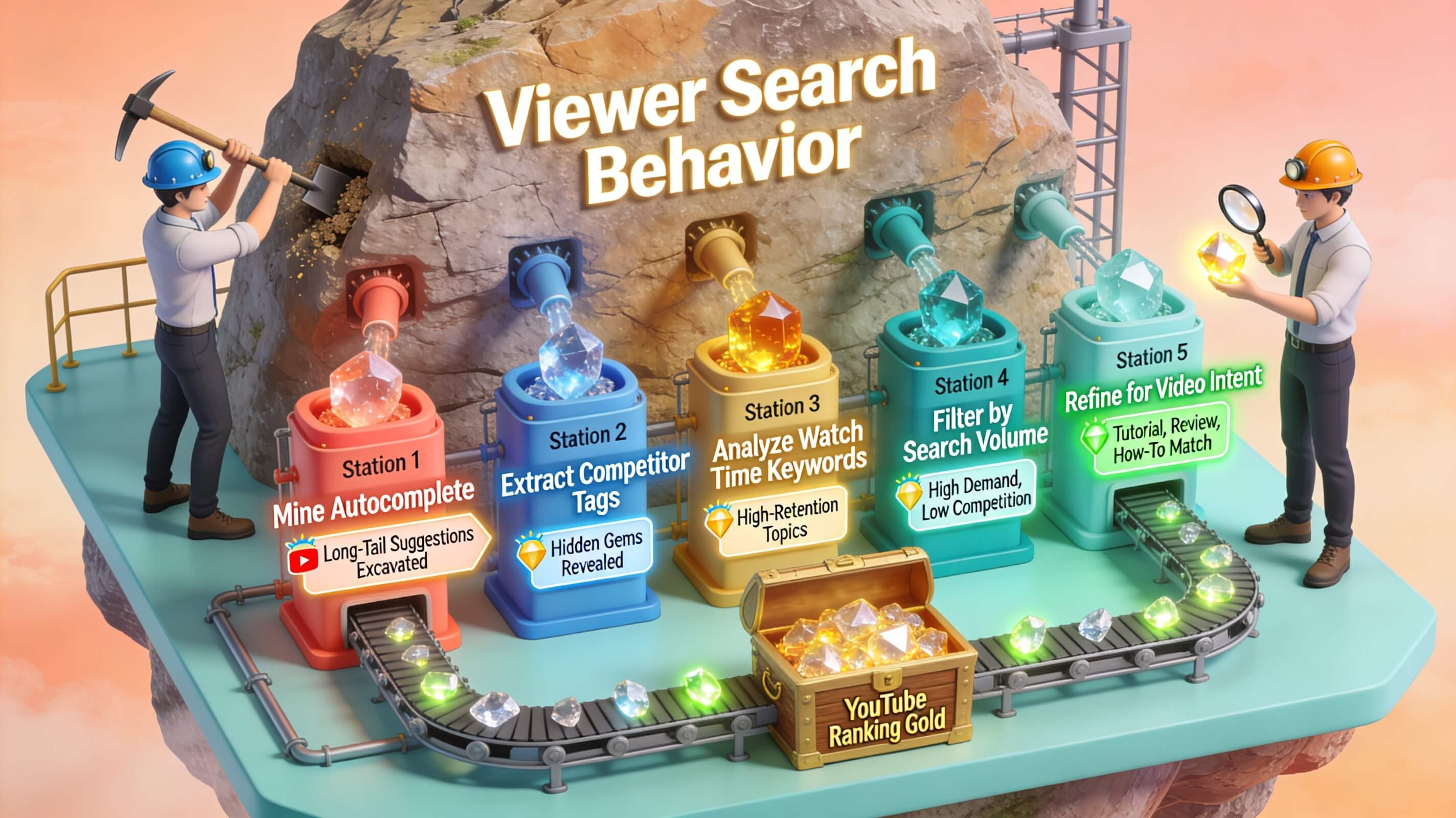
Beyond visibility, proper YouTube keyword research also improves engagement metrics. When your video matches what someone is searching for, they are more likely to watch longer, like, comment, and subscribe. This creates a positive feedback loop with the algorithm, pushing your content even higher in search rankings. It is not just about traffic—it is about the right traffic. A video optimized for high-volume but irrelevant keywords will attract viewers who leave within seconds, hurting your retention and signaling to YouTube that your content is not valuable. Strategic keyword research prevents that waste and ensures every view counts toward long-term channel growth.
How YouTube Search Algorithm Interprets Keywords
To conduct effective YouTube keyword research, you must first understand how the search algorithm processes and ranks content. YouTube uses a machine learning system that evaluates hundreds of signals to determine which videos appear for a given query. While many of these signals are proprietary, several key factors are well-documented and directly influenced by your keyword strategy.
The algorithm begins by matching the text in your video metadata—title, description, tags, and captions—against the user’s search query. This is the most basic layer of relevance. If your video title contains the exact phrase someone searches for, YouTube assigns a higher relevance score. But it goes deeper. The algorithm also analyzes the semantic context of your content, meaning it understands synonyms, related terms, and topic clusters. This is why using a broad range of semantically related keywords throughout your metadata strengthens your ranking for your primary keyword and helps you appear for variations and associated searches.
Engagement signals then amplify or diminish your ranking for those matched keywords. If viewers click on your video but quickly bounce back to search results, YouTube interprets that as a poor match and lowers your position. Conversely, high watch time, strong audience retention, likes, comments, and shares tell the algorithm that your content satisfies the search intent. This is where keyword research intersects with content quality. You can rank for the perfect keyword, but if your video does not deliver on the promise of the title and description, you will not hold that position for long.
I like to think of YouTube keyword research as laying the foundation for a house. The keywords are the concrete slab—absolutely necessary for stability. But the quality of the house itself—your content—determines whether people want to live there. Both elements must work together for long-term success.
Key Ranking Factors Influenced by Keywords
| Ranking Factor | How Keywords Influence It | Action You Can Take |
|---|---|---|
| Title Relevance | Exact match keywords in title signal direct relevance to the search query. | Place your primary keyword at the beginning of your title when possible. |
| Description Context | Keywords in the first 200 characters carry more weight; full description provides semantic depth. | Write a natural, keyword-rich description that fully explains what the video covers. |
| Tags and Hashtags | Tags reinforce topic focus; hashtags help categorize content. | Use 10-15 relevant tags, including your primary keyword and variations. |
| Captions and Transcripts | Text from captions is indexed and searched, expanding keyword coverage. | Upload accurate captions or transcripts for every video. |
| Watch Time and Retention | High retention on keyword-aligned content boosts ranking for that query. | Ensure your video content delivers exactly what the keyword promises. |
Understanding these factors allows you to be strategic rather than random with your keyword usage. Every element of your video metadata is an opportunity to reinforce relevance and signal to YouTube exactly who should see your content. Do not waste those opportunities.
Best Tools for YouTube Keyword Research
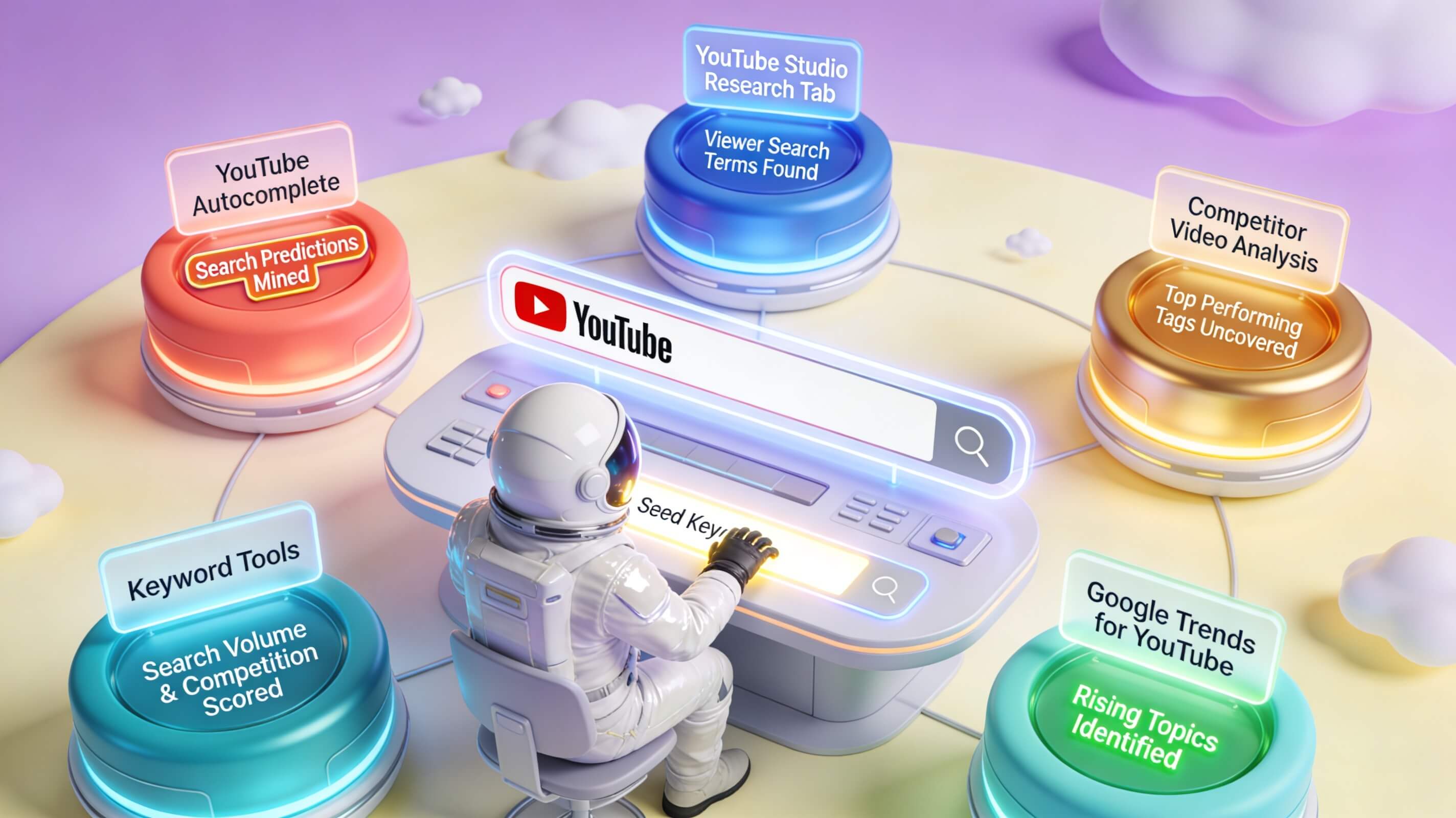
Manual brainstorming has its place, but to conduct thorough YouTube keyword research at scale, you need the right tools. I have tested dozens of options over the years, and a handful consistently outperform the rest. Each tool brings something different to the table, and the best approach is to use a combination that covers your needs across discovery, analysis, and optimization.
Ahrefs is my go-to tool for deep competitive analysis and keyword difficulty scoring. It pulls YouTube-specific data showing search volume, clicks, and keyword difficulty for thousands of queries. The platform also reveals which keywords your competitors rank for, giving you a direct roadmap of what is working in your niche. It is a paid tool, but for serious content strategists, the investment pays for itself quickly.
VidIQ offers a robust free tier that integrates directly into YouTube. The browser extension shows real-time search volume, competition scores, and keyword trends as you browse. I use VidIQ daily for quick keyword validation and discovering related search terms that I might otherwise miss. The channel audit feature also highlights gaps in your existing keyword coverage.
TubeBuddy is another excellent browser extension that simplifies the optimization process. Its keyword explorer provides search volume and competition data, but where TubeBuddy truly shines is in its A/B testing for thumbnails and titles. Being able to test which keyword-driven title performs best is a game-changer for long-term growth.
For users on a tighter budget, Keyword Tool offers a free version that generates hundreds of keyword suggestions from YouTube autocomplete. While it lacks volume data on the free tier, it is excellent for ideation and expanding your keyword list. Google Trends is another free resource that shows whether a topic is rising or falling in popularity, helping you choose timely keywords that align with current viewer interest.
Google Keyword Planner, while designed for search ads, provides reliable search volume data that often correlates with YouTube queries. I recommend cross-referencing volume estimates between multiple tools to get a more accurate picture, as no single source is perfectly reliable for YouTube-specific data.
One original insight I have developed over the years is the value of combining these tools with manual YouTube search analysis. Before I finalize any keyword, I type it into YouTube and study the top 10 videos. I look at their titles, descriptions, and tags to understand the patterns that are already ranking. This firsthand competitive research often reveals opportunities that automated tools miss, such as underserved subtopics or format gaps you can exploit.
Strategic Process for Generating YouTube Keywords
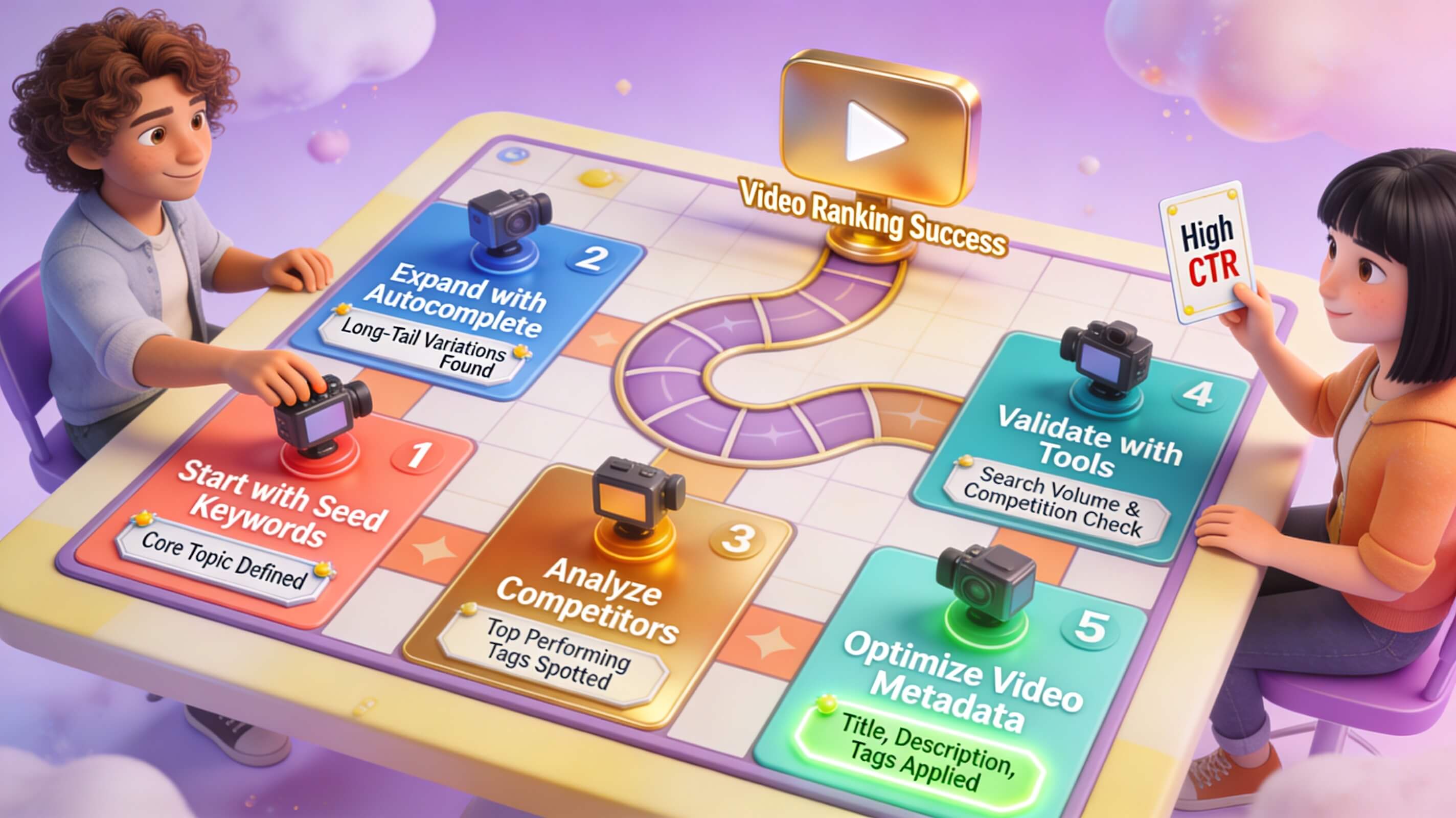
Knowing which tools to use is one thing. Having a repeatable, effective process for generating keywords is what separates successful channels from the rest. Over the years, I have refined a five-step workflow that consistently produces high-impact keyword lists for any niche. Follow these steps for every video you plan to create.
Step one: Start with audience brainstorming. Before you open any tool, write down every term, phrase, and question your ideal viewer might search for related to your video topic. Think about their pain points, goals, and the language they use in comments and forums. This raw list grounds your research in real user intent rather than abstract data. For example, if you are creating a video about home workout routines, your list might include “exercises without equipment,” “home workout for beginners,” “15 minute fat burn,” and “how to stay fit at home.”
Step two: Expand using YouTube autocomplete. Go to YouTube’s search bar and begin typing your core terms. The autocomplete suggestions that appear are based on actual user searches. These are gold because they represent real search behavior, not estimated data. Write down every suggestion that feels relevant. You will often discover long-tail variations and question-based queries that have less competition but high conversion potential.
Step three: Run seed keywords through your tools. Take your expanded list and input each seed keyword into VidIQ, TubeBuddy, or Ahrefs. Look for terms that have decent search volume (at least 100 monthly searches for niche topics, higher for broad topics) and low to medium competition. This balance gives you the best chance of ranking quickly while still attracting meaningful traffic. Pay attention to keyword trends as well—a rapidly rising term can be a powerful short-term opportunity.
Step four: Analyze the search results pages for your shortlisted keywords. For each potential keyword, watch the top 3-5 videos. Note their length, format (tutorial, review, comparison, listicle), and how they address the query. If all top results are long, in-depth tutorials, a short overview video is unlikely to rank. Conversely, if you see a gap—for example, no video answers a specific angle or question—that is your opportunity to create content that directly fills an unmet need.

Step five: Organize your keywords by priority. Create a spreadsheet with columns for keyword, search volume, competition score, relevance, and content format. Rank each keyword based on your channel’s authority and the depth you can bring to the topic. Your primary keyword should be the one with the best combination of high volume, low competition, and strong relevance. Secondary keywords will support your metadata and help you rank for variations. Always include at least one long-tail keyword with clear search intent per video.
This process takes about 30 minutes per video once you become efficient. That half-hour investment can increase your views by 10x or more compared to uploading without research. I have seen it happen consistently across dozens of channels.
Analyzing Keyword Competition on YouTube
Identifying a keyword with high search volume is exciting, but volume alone does not guarantee success. You must also evaluate the competitive landscape to determine whether you can realistically rank for that term. Competitive analysis for YouTube keywords requires looking beyond simple metrics and into the quality and authority of existing content.
Start by checking the number of views on the top-ranked videos for your keyword. If the first page results all have hundreds of thousands or millions of views from established channels, breaking into that space will be extremely difficult as a smaller creator. However, do not let high views scare you away entirely. Look deeper at engagement. If a video has a million views but very few comments and a low like-to-view ratio, it may be ranking due to an older upload date rather than strong audience satisfaction. That gap can be exploited with fresher, more engaging content.
Check the upload dates of the top results. YouTube does favor newer content for certain kinds of searches, especially news, trends, and evolving topics. If the top videos are two to three years old, there is often an opportunity to outrank them with updated information and better production quality. I have personally seen videos surpass established competitors simply by being more current and targeted with keywords.
Another factor is channel authority. Look at the subscriber counts of the channels ranking for your target keyword. If they are massive, you need a different strategy. Focus on long-tail variations and niche-specific angles where big channels may not compete directly. For example, instead of targeting “digital marketing tips” (dominated by mega-channels), target “digital marketing tips for independent consultants” or “digital marketing tips for Etsy sellers.” The competition drops dramatically while the audience relevance increases.
Finally, examine the video format and production level. If all top results are highly produced studio-quality videos, a low-production mobile recording is unlikely to rank. Conversely, if the top results are simple talking-head videos, your more polished production can stand out. Match or exceed the quality standard you see, then differentiate on your unique value proposition.
Mastering Long-Tail Keywords for Higher Conversion
Long-tail keywords are phrases that are more specific, usually three to five words long, and have lower search volume but much higher conversion potential. For example, “yoga for beginners” is a broad keyword. “Hatha yoga flow for beginners with tight hamstrings” is a long-tail keyword. The latter may have only a fraction of the search volume, but the viewer searching for that exact phrase knows exactly what they want and is far more likely to watch the entire video, comment, and subscribe.
In my experience, a balanced YouTube keyword strategy allocates about 30% of your content to high-volume broad keywords (when competition allows) and 70% to long-tail and mid-tail keywords. This mix gives you a steady stream of targeted traffic while you build the authority needed to compete for bigger terms over time. Beginners especially should focus almost exclusively on long-tail keywords. The competition is lower, and the audience trust is higher because your content precisely matches their search.
You can find long-tail keywords by using YouTube’s autocomplete feature extensively, exploring the “related searches” section at the bottom of YouTube search results pages, and using tools like AnswerThePublic or Keyword Tool. Also look at the comment sections of popular videos in your niche. Viewers often ask specific questions that are perfect long-tail keyword opportunities. If someone asks, “Can you show me a five-minute ab workout for postpartum mothers?” you have identified a content gap with clear keyword potential.
Incorporate your long-tail keyword naturally into your video title and description. Avoid stuffing it awkwardly. For instance, if your long-tail keyword is “how to fix a leaking kitchen faucet single handle,” your title could be “How to Fix a Leaking Kitchen Faucet | Single Handle Repair in 10 Minutes.” The primary keyword is front-loaded, and the additional context attracts viewers with specific intent.
Optimizing Your Video Metadata with Target Keywords
Once you have your keyword list, the next step is systematically incorporating those terms into every element of your video metadata. This is where strategy becomes execution, and attention to detail separates professionals from amateurs. I recommend following this order of priority when optimizing metadata.
Title: Your title is the single most important on-page factor for YouTube SEO. Place your primary keyword as close to the beginning of the title as possible without making it unreadable. Keep titles between 50 and 65 characters so they do not get cut off in search results. Include emotional triggers or value propositions that encourage clicks, such as “Step-by-Step Guide,” “Ultimate Tutorial,” “Top 5 Mistakes,” or “For Beginners.” A title like “YouTube Keyword Research for Beginners | Step-by-Step Guide 2025” combines the primary keyword with a clear audience signal and timing relevance.
Description: Write a description of at least 250 words. The first two to three sentences are critical because they appear in search results before the “Show more” cutoff. Put your primary keyword and a compelling hook in that opening section. The rest of the description should naturally incorporate secondary and long-tail keywords while fully explaining what the video covers. Include timestamps for key sections, as this improves user experience and can increase watch time. You can also add relevant links to your website, related videos, or affiliate products—but never at the expense of keyword-rich content.
Tags: Use 10 to 15 relevant tags that include your primary keyword, its variations, common misspellings, and related topical terms. Do not spam unrelated tags; YouTube penalizes that practice. Instead, think about the tags that help the algorithm understand which broader categories your video belongs to. If your video is about keyword research, tags like “YouTube SEO tips,” “grow YouTube channel,” and “keyword research tools” are more helpful than vague tags like “video” or “funny.”
Captions and Transcripts: Uploading an accurate caption file or transcript is one of the most underrated optimization tactics. YouTube indexes the text from captions, which means every relevant keyword you speak in your video becomes part of your searchable metadata. This not only improves accessibility but also expands your keyword footprint significantly. I always recommend uploading a transcript even if you use auto-captions, because auto-captions frequently contain errors that hurt your keyword relevance.
Tracking and Refining Keyword Performance
Optimization is not a one-time task. YouTube keyword research is an ongoing process that requires regular analysis and adjustment. The videos you publish today should inform the strategy for your next upload. To do this effectively, you need to track key performance indicators for each video relative to the keywords you targeted.
YouTube Studio provides most of the data you need. Look at the “Reach” tab to see which search terms are driving views to your videos. If a video is ranking for keywords you did not intentionally target, you may discover new opportunities. Conversely, if a video is not ranking for your primary keyword after two weeks, it is time to revise the title, description, and tags. Sometimes a small adjustment to the keyword phrasing can make a significant difference.
Watch the click-through rate (CTR) for impressions from search. A low CTR suggests your title and thumbnail are not compelling enough, even if you are ranking. Experiment with different title structures and thumbnail designs to improve performance. I recommend A/B testing titles using TubeBuddy’s optimization tools if you have access. Over time, you will develop a sense for which keyword-title-thumbnail combinations resonate with your specific audience.
Monitor your video’s average view duration and audience retention. If viewers drop off early despite ranking for the right keyword, your content may not match the search intent. In that case, go back and study the top-performing videos for that query more closely. What format do they use? How do they structure the information? Adapt your approach rather than assuming the algorithm is wrong.
Common YouTube Keyword Research Mistakes to Avoid
Over the years, I have observed several recurring mistakes that prevent creators from getting the results they want from their keyword efforts. Avoiding these pitfalls is just as important as following best practices.
The first mistake is chasing high-volume keywords that have no relevance to your content. This wastes the algorithm’s trust and leads to poor engagement metrics that hurt your channel overall. Always prioritize relevance over volume. The second mistake is neglecting long-tail keywords entirely. Many creators only target broad, competitive terms and miss the targeted traffic that easier-to-rank phrases provide. The third mistake is keyword stuffing metadata. Titles and descriptions that are written for algorithms instead of humans get penalized and repel potential viewers. Write naturally, incorporate keywords where they fit, and always prioritize readability.
Another common error is failing to update older videos. Keywords trends shift over time. A title that performed well in 2023 may no longer be competitive in 2025. Periodically revisit your best-performing videos and refresh their titles, descriptions, and tags to align with current search behavior. This is a low-effort way to revive existing content and extend its lifespan.